
Getting started
1. Install
Section titled “1. Install”Get Kombine from Google Play. If you have a Wear OS watch, the watch app installs from Google Play on the watch.
Get Kombine from the App Store. It runs on iPhone and iPad, and the Apple Watch app comes with it.
Open app.kombine.dev in any modern browser. Nothing to install.
2. Open the app
Section titled “2. Open the app”The first launch shows a short intro. On the last slide you can Create Account, Log In, or Continue without an account.
You don’t need an account. Everything works on your phone, offline. An account only adds sync and backup, and you can create one later (step 5). If you skip it, Kombine won’t ask again on the next launch. It only asks you to log in again if you were signed in and your session ended.
The first launch shows a short intro. On the last slide you can Create Account, Log In, or Continue without an account.
You don’t need an account. Everything works on your phone, offline. An account only adds sync and backup, and you can create one later (step 5). If you skip it, Kombine won’t ask again on the next launch. It only asks you to log in again if you were signed in and your session ended.
The web app needs an account. Go to app.kombine.dev, click Sign up, fill in Display name, Email and Password (8–72 characters), then Create account.
Check your inbox for a verification email, then sign in. If you already use Kombine on your phone, sign in with the same account and your data is there.
Just looking around? Click Try demo on the sign-in screen. You get a throwaway account filled with sample data, no email needed. A banner shows when it will be deleted: one hour after you start, with everything in it. To keep using Kombine, click Sign up in the banner. Demo data isn’t carried over to your new account.
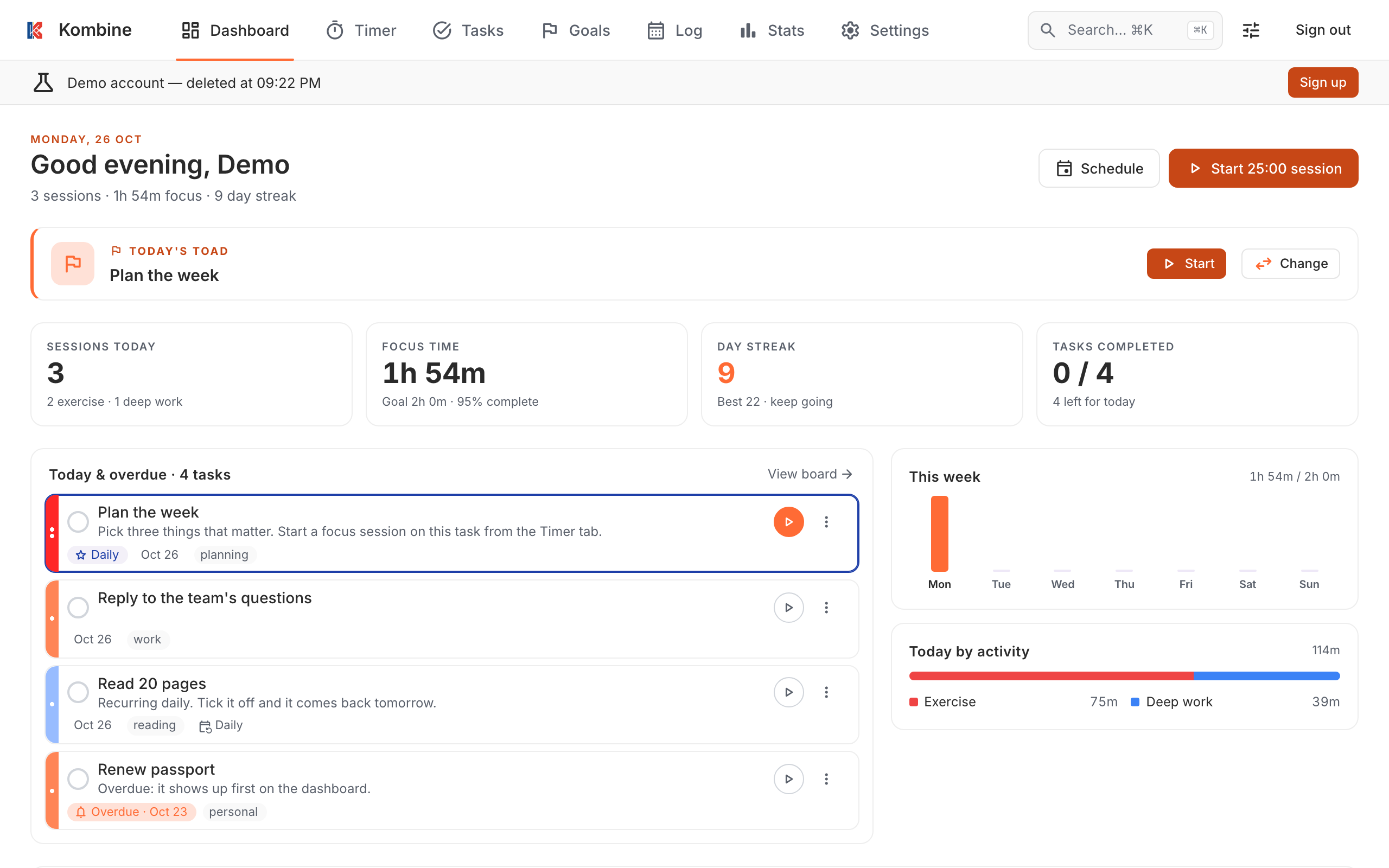
The app opens on Today, your overview of the day.
3. Add your first task
Section titled “3. Add your first task”- Open the Tasks tab.
- Tap +, type what needs doing, and save.
- Optional: tap Show task details to add a due date, priority, energy level, tags or a reminder.
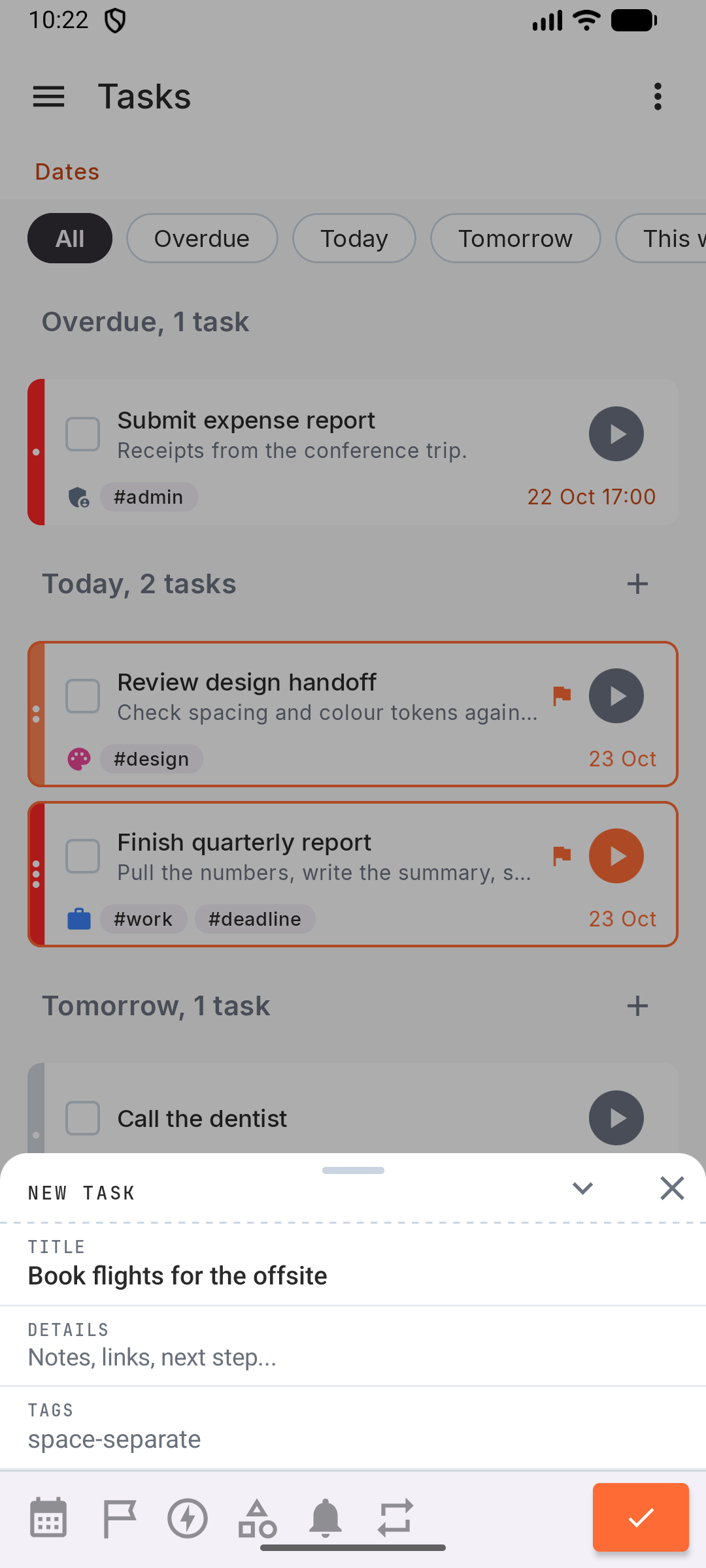
- Open the Tasks tab.
- Tap +, type what needs doing, and save.
- Optional: tap Show task details to add a due date, priority, energy level, tags or a reminder.
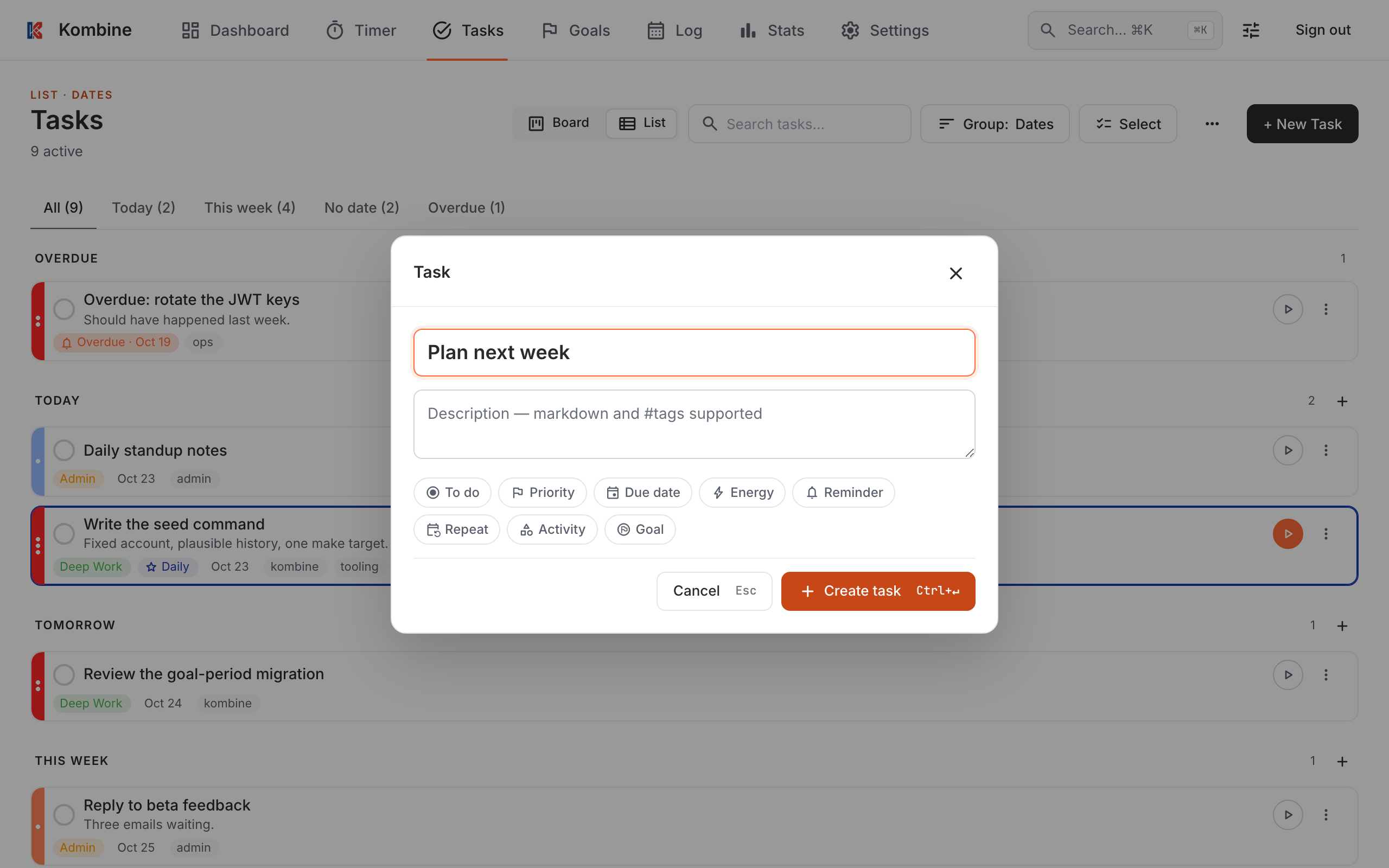
- Open Tasks.
- Click + New Task (or press Ctrl+M).
- Type a title, optionally set a due date or priority, and click Create task.
4. Run your first focus session
Section titled “4. Run your first focus session”- Open the Timer tab. It starts in Pomodoro mode: 25 minutes of work, then a 5-minute break.
- Tap What are you working on? and pick your task.
- Tap Start.
- When the session ends, take the break or skip it.
To stop early, hold the ✕ button. A session stopped before 2 minutes isn’t recorded.
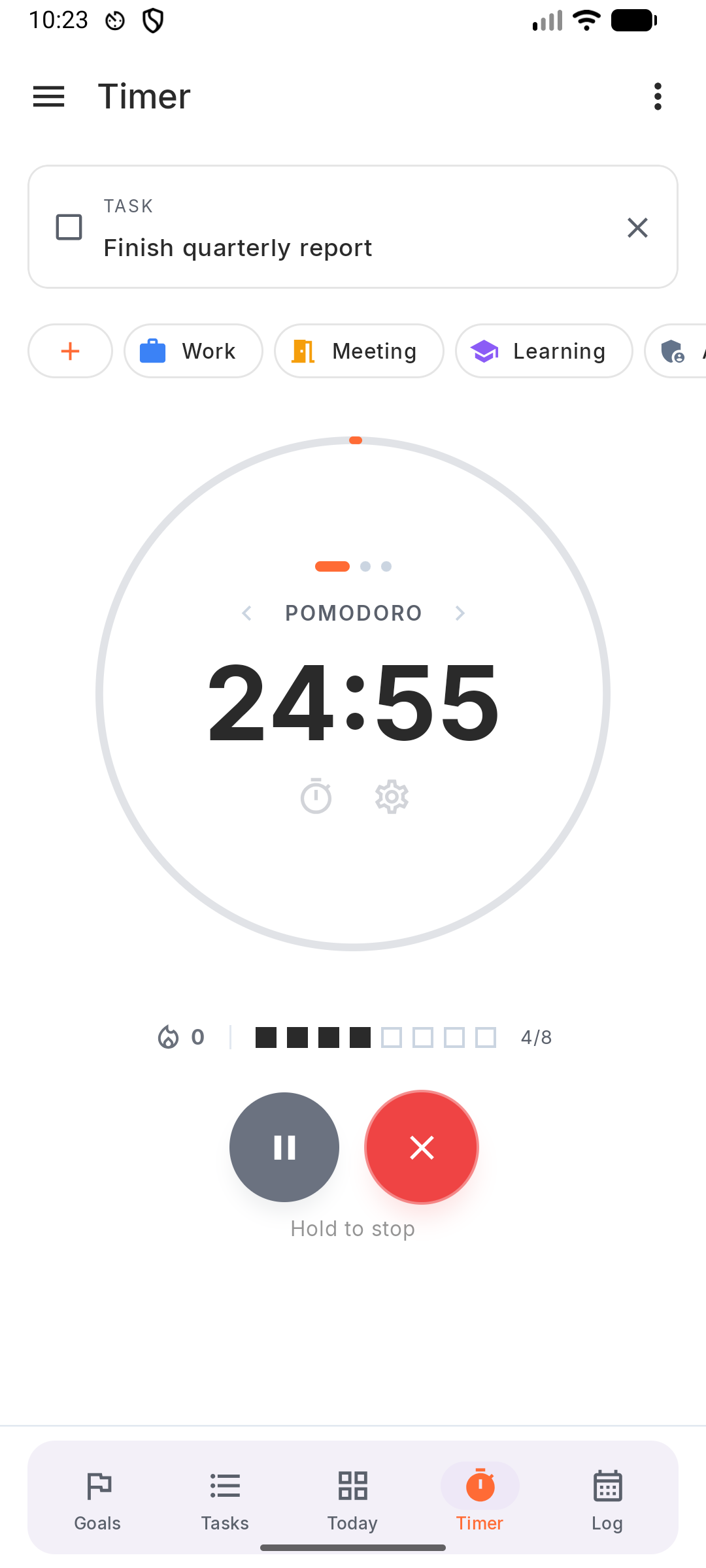
- Open the Timer tab. It starts in Pomodoro mode: 25 minutes of work, then a 5-minute break.
- Tap What are you working on? and pick your task.
- Tap Start.
- When the session ends, take the break or skip it.
To stop early, hold the ✕ button. A session stopped before 2 minutes isn’t recorded.
- Open Timer. It starts in Pomodoro mode: 25 minutes of work, then a 5-minute break.
- Pick your task in Select task….
- Click Start.
- When the session ends, click Start Break or Skip.
While the timer runs, a small timer bar follows you to every other page.
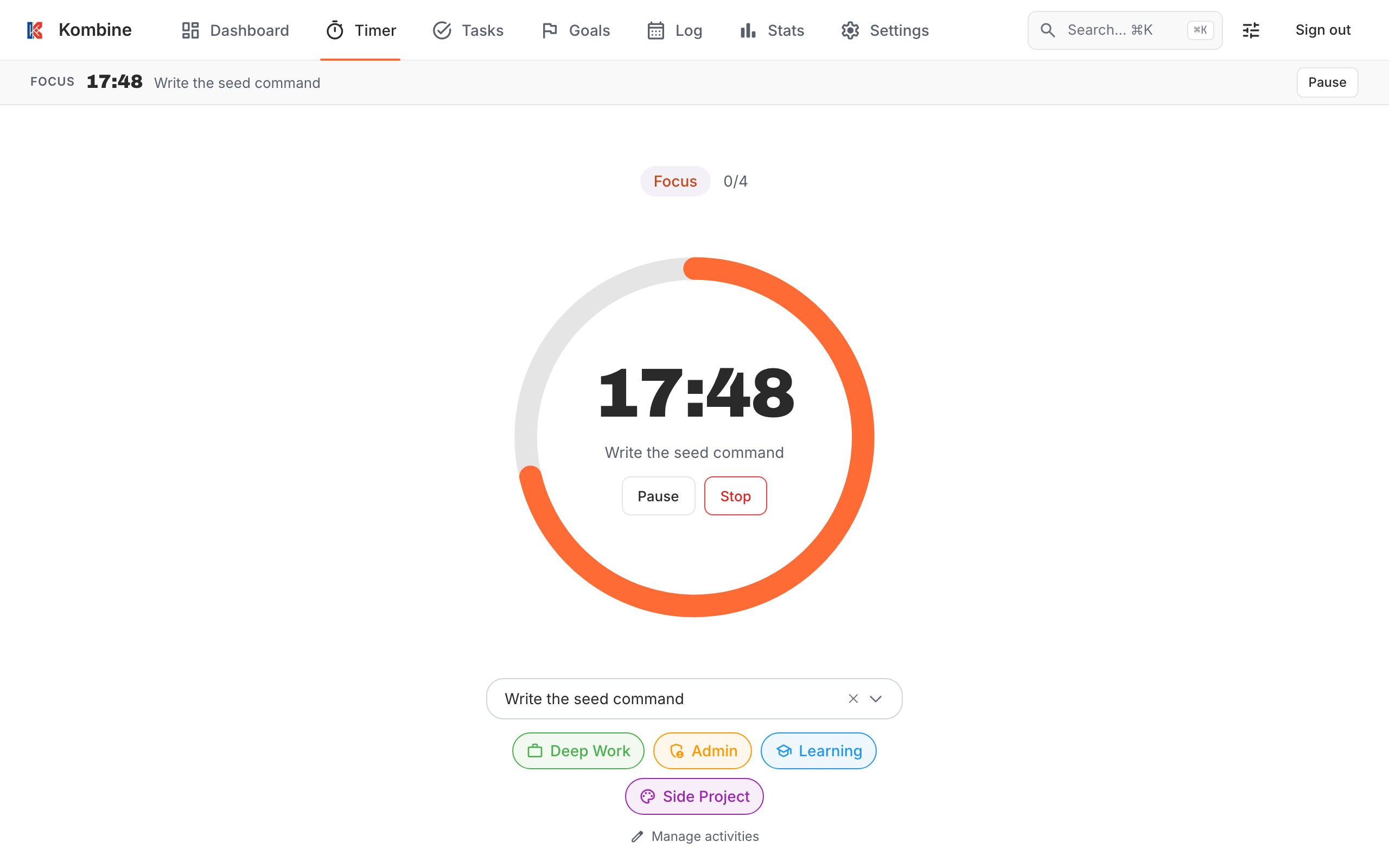
Finished sessions show up in the Log and in Statistics.
5. Optional: create an account and sync
Section titled “5. Optional: create an account and sync”An account keeps your tasks, sessions, goals and settings in sync between your phone, tablet, the web app and your watch, and backs them up.
- Open Settings (⋮ in the top bar) and tap Account.
- Tap Create new account, fill in your details, and tap Create Account.
Anything you created before signing up is kept and uploaded.
- Open Settings (⋮ in the top bar) and tap Account.
- Tap Create new account, fill in your details, and tap Create Account.
Anything you created before signing up is kept and uploaded.
You already have an account. Install the mobile app (step 1) and log in with the same email to sync.
More in Sync & offline and Account.