Settings
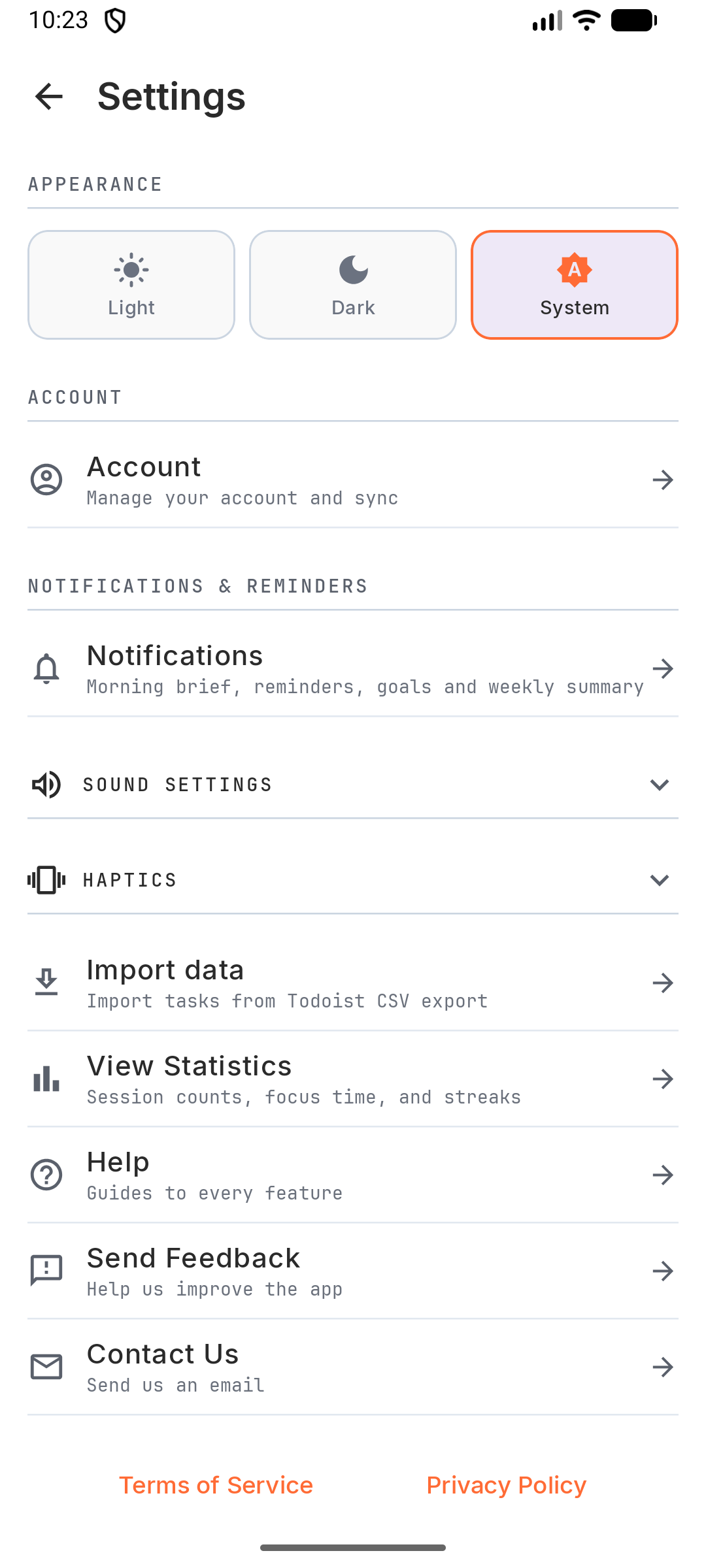
Your settings sync between devices when you’re signed in, and changes apply right away.
Open Settings from ⋮ in the top bar, or the gear in the ☰ drawer.
- Appearance: Light, Dark or System.
- Account: sign in, sync, and account options. See Account.
- Notifications & Reminders: morning brief, default task reminder, goal rituals, weekly summary, and Ongoing timer notification. See Reminders.
- Sound Settings: a sound when a work session ends and when a break ends, and an optional background sound (white noise, nature, ambient and rhythm sounds) while you focus. Each has its own switch, and all are off by default. Set Notification Volume and Background Volume separately.
- Haptics: Haptic Feedback, Haptic Strength and Alarm Vibrations.
- Import data: import tasks from Todoist. See Tasks.
- View Statistics.
- Rate Kombine (opens the app’s store listing), Send Feedback and Contact Us.
- Terms of Service and Privacy Policy.
Timer lengths and automation are on the Timer tab itself. See Timer.
Open Settings from ⋮ in the top bar, or the gear in the ☰ drawer.
- Appearance: Light, Dark or System.
- Account: sign in, sync, and account options. See Account.
- Notifications & Reminders: morning brief, default task reminder, goal rituals, weekly summary, and Ongoing timer notification. See Reminders.
- Sound Settings: a sound when a work session ends and when a break ends, and an optional background sound (white noise, nature, ambient and rhythm sounds) while you focus. Each has its own switch, and all are off by default. Set Notification Volume and Background Volume separately.
- Haptics: Haptic Feedback, Haptic Strength and Alarm Vibrations.
- Import data: import tasks from Todoist. See Tasks.
- View Statistics.
- Rate Kombine (opens the app’s store listing), Send Feedback and Contact Us.
- Terms of Service and Privacy Policy.
Timer lengths and automation are on the Timer tab itself. See Timer.
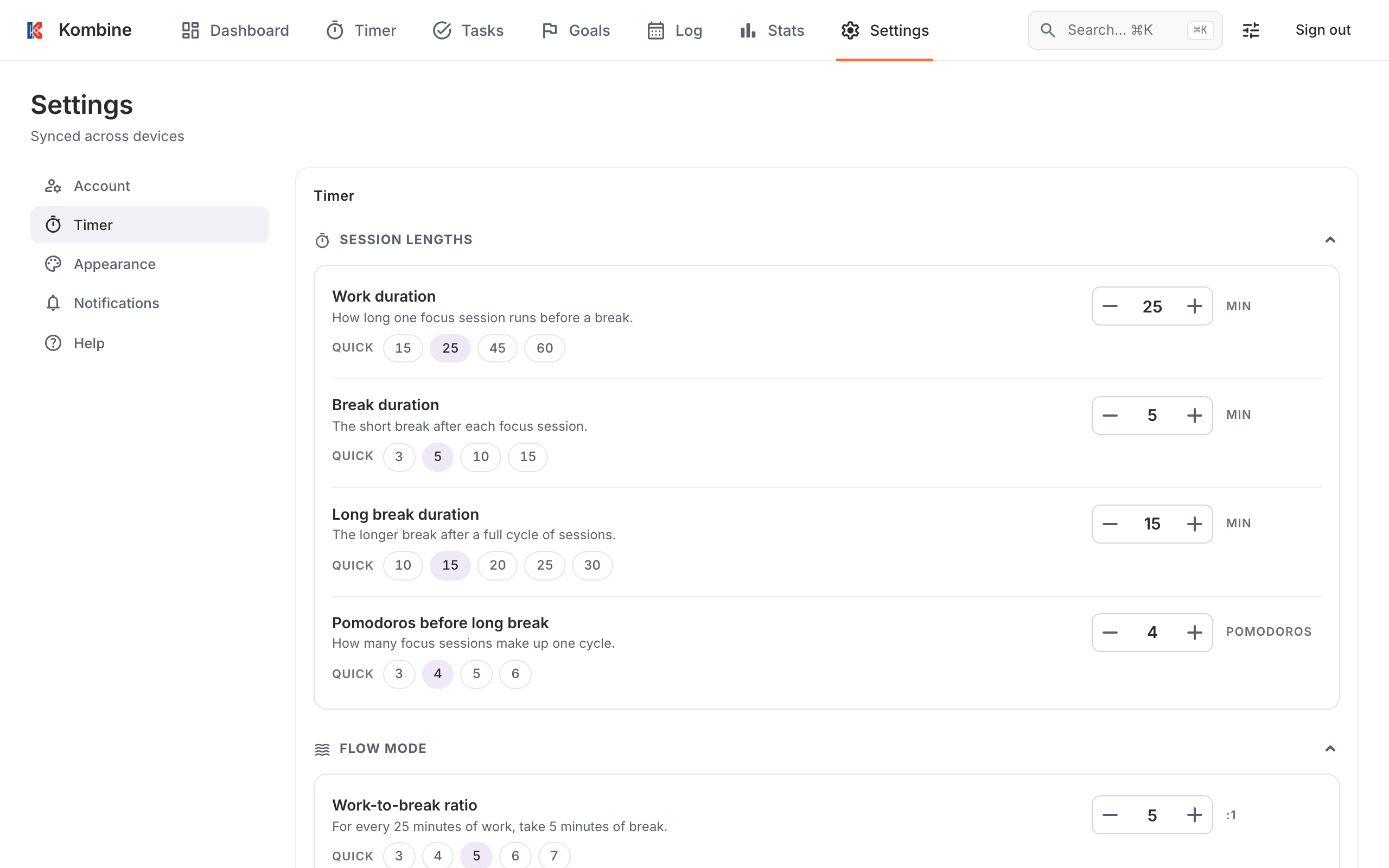
Open Settings in the navigation. It has four sections:
- Account: name, password, sign-in options and account deletion. See Account.
- Timer: session lengths, Flow ratio, auto-start and the tagging prompt. See Timer.
- Appearance: Theme (System, Light, Dark) and the session summary.
- Notifications: browser notifications, plus Sync now and Clear local data.
The layout button in the top bar switches between Tabs, Sidebar and Rail navigation, and Cozy or Compact density. These are saved per browser.
Press ? anywhere to see all keyboard shortcuts.
The web app is in English only. Your time zone is taken from your browser.