
Timer
The timer runs focus sessions. Each finished session is saved with its length, mode, and the task and activity you picked, so it shows up in the Log and Statistics.
- Pomodoro: fixed work blocks with short breaks, and a long break after every few sessions. Defaults: 25 min work, 5 min break, 15 min long break after 4 sessions.
- Flow: counts up with no fixed end. Stop when you’re done; the break is your work time divided by a ratio (5:1 by default, so 50 minutes of work earns a 10-minute break).
- Adaptive: session length follows how much energy or focus you have right now.
Use the ‹ › arrows around the mode name under the ring to switch between Pomodoro, Flow and Adaptive. You can only switch while the timer is idle.
In Adaptive, tapping Start asks for your focus level:
| Level | Work | Break |
|---|---|---|
| Low Focus | 5 min | 2 min |
| Medium Focus | 15 min | 5 min |
| High Focus | 25 min | 8 min |
| Peak Focus | 40 min | 12 min |
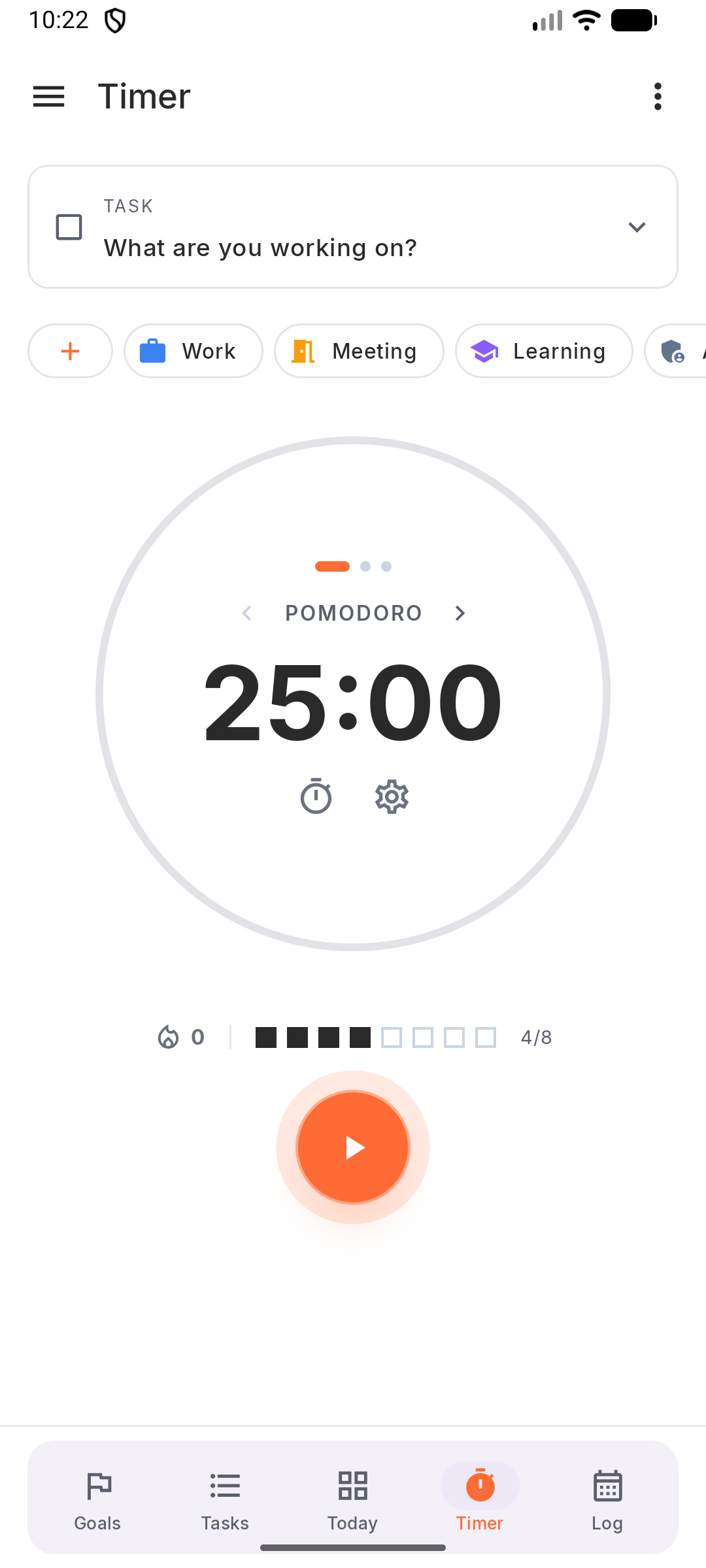
Use the ‹ › arrows around the mode name under the ring to switch between Pomodoro, Flow and Adaptive. You can only switch while the timer is idle.
In Adaptive, tapping Start asks for your focus level:
| Level | Work | Break |
|---|---|---|
| Low Focus | 5 min | 2 min |
| Medium Focus | 15 min | 5 min |
| High Focus | 25 min | 8 min |
| Peak Focus | 40 min | 12 min |
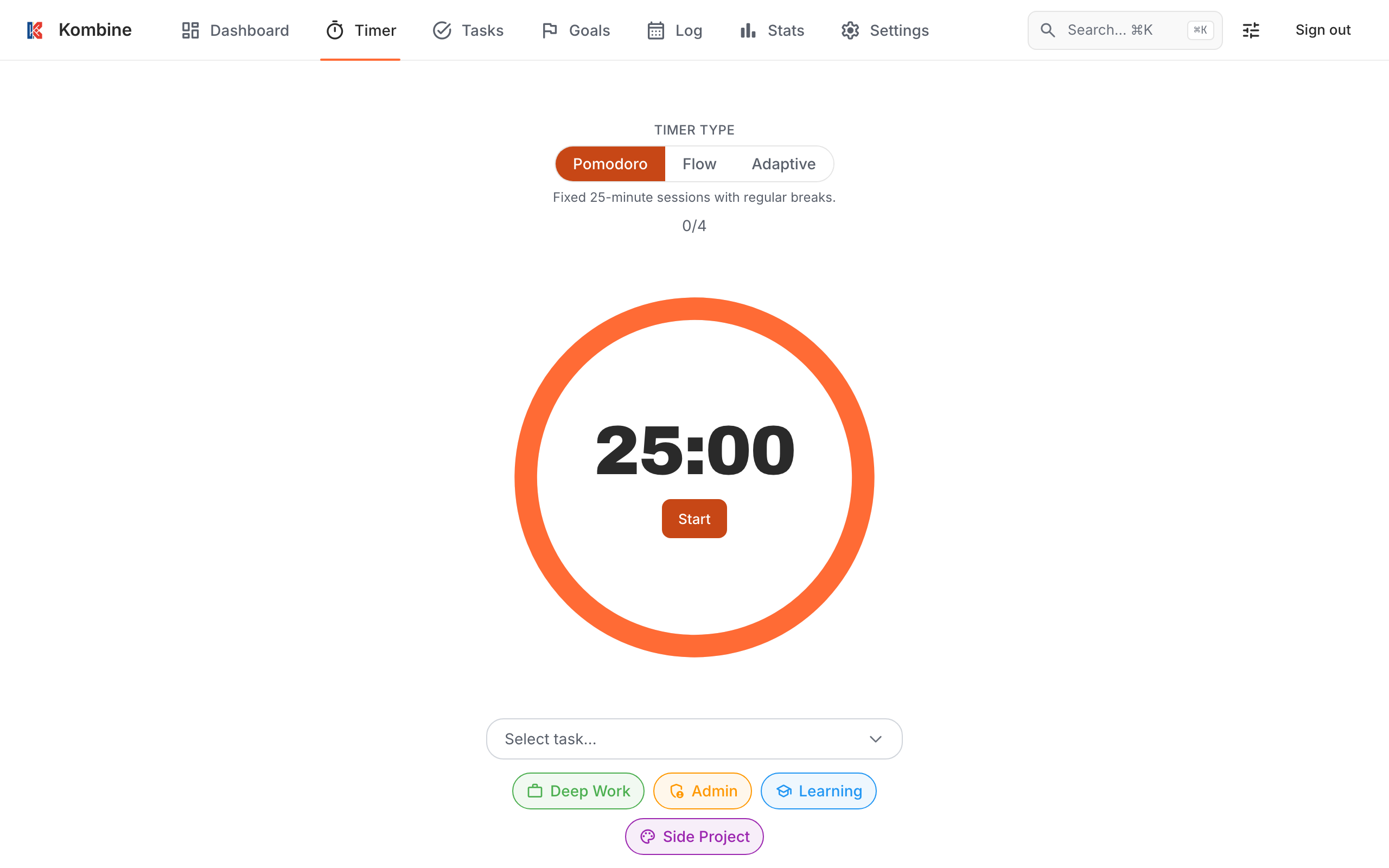
Use the Pomodoro / Flow / Adaptive switch above the timer. It’s only shown while the timer is idle.
In Adaptive, click Set energy and pick a level:
| Level | Work | Break |
|---|---|---|
| Low | 5 min | 2 min |
| Medium | 15 min | 5 min |
| High | 25 min | 8 min |
| Peak | 40 min | 12 min |
Start, pause and stop
Section titled “Start, pause and stop”- Tap What are you working on? to pick a task (optional). The picker puts today’s most likely tasks under Suggested, and you can search or Add New Task from there.
- Tap an activity chip under the task to tag the session (optional).
- Tap Start.
- While running: tap Pause / Resume. To stop, hold the ✕ button.
You can also start a session from a task: tap the ▶ on its card, or long-press it and choose Start focus.
Switching to another task while the timer runs asks Switch Task? first.
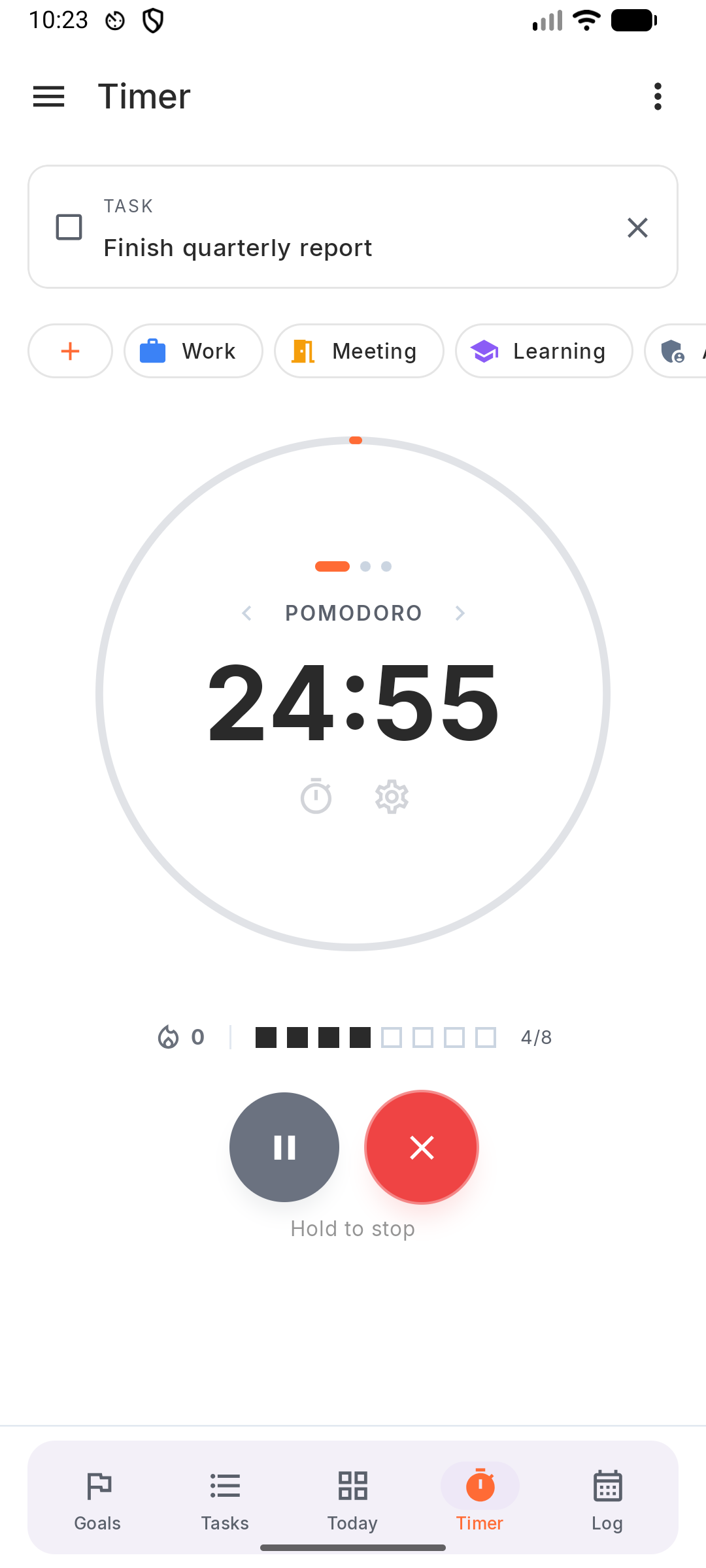
- Tap What are you working on? to pick a task (optional). The picker puts today’s most likely tasks under Suggested, and you can search or Add New Task from there.
- Tap an activity chip under the task to tag the session (optional).
- Tap Start.
- While running: tap Pause / Resume. To stop, hold the ✕ button.
You can also start a session from a task: tap the ▶ on its card, or long-press it and choose Start focus.
Switching to another task while the timer runs asks Switch Task? first.
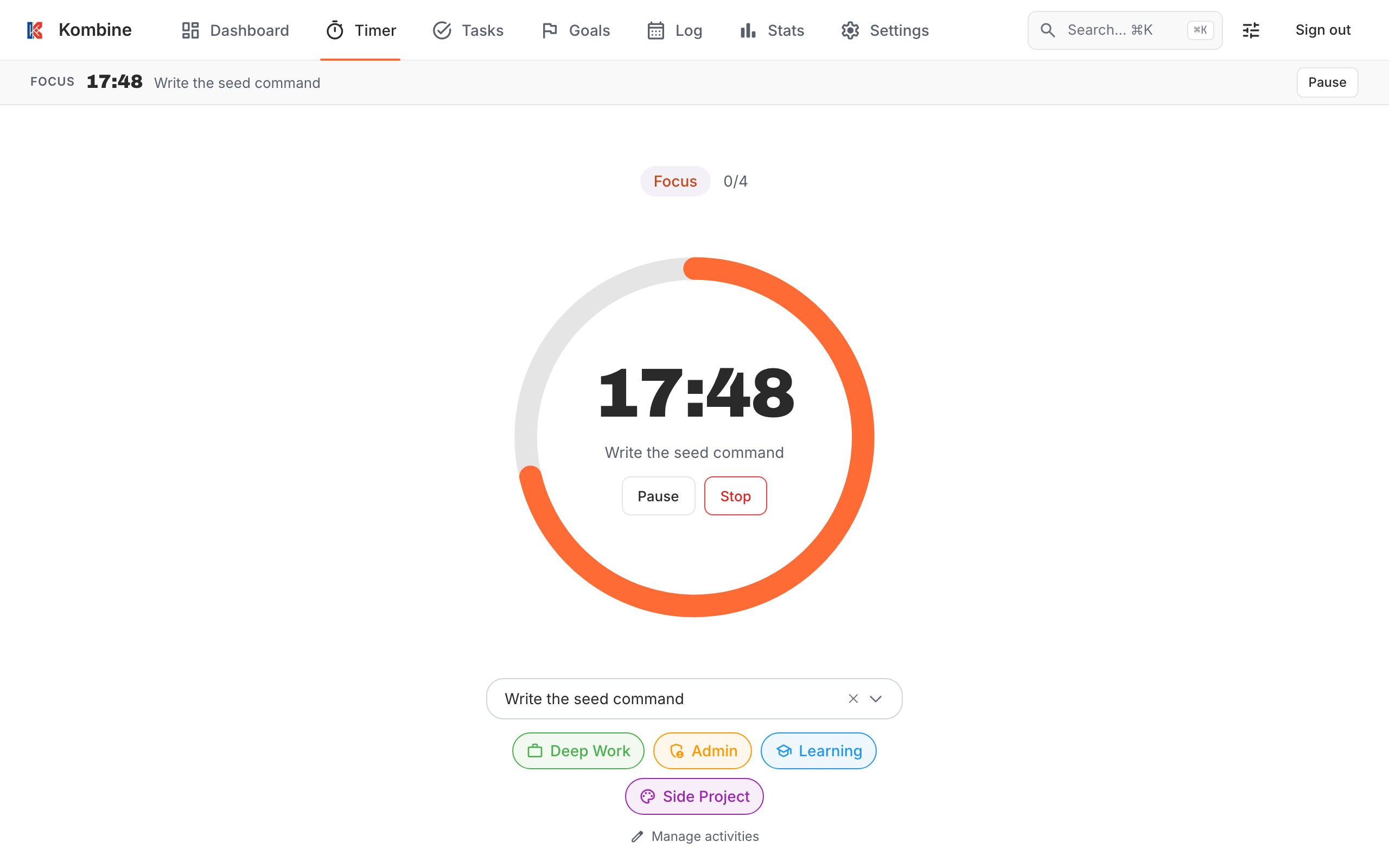
- Pick a task in Select task… (optional). You can search, and a Suggested task may be shown first.
- Click an activity chip to tag the session (optional).
- Click Start.
- While running: Pause / Resume, or Stop.
You can also click ▶ (Start session) on any task card.
While the timer runs, a floating timer bar with Pause, Resume and Open Timer stays visible on every other page.
Keyboard: Ctrl+S start, Ctrl+P pause / resume, Ctrl+] skip.
Short sessions aren’t saved
Section titled “Short sessions aren’t saved”A session that’s too short is thrown away, so an accidental start and stop doesn’t land in your statistics. No break is offered after it.
- Flow: under 3 minutes.
- Pomodoro and Adaptive: stopped before 2 minutes.
Breaks
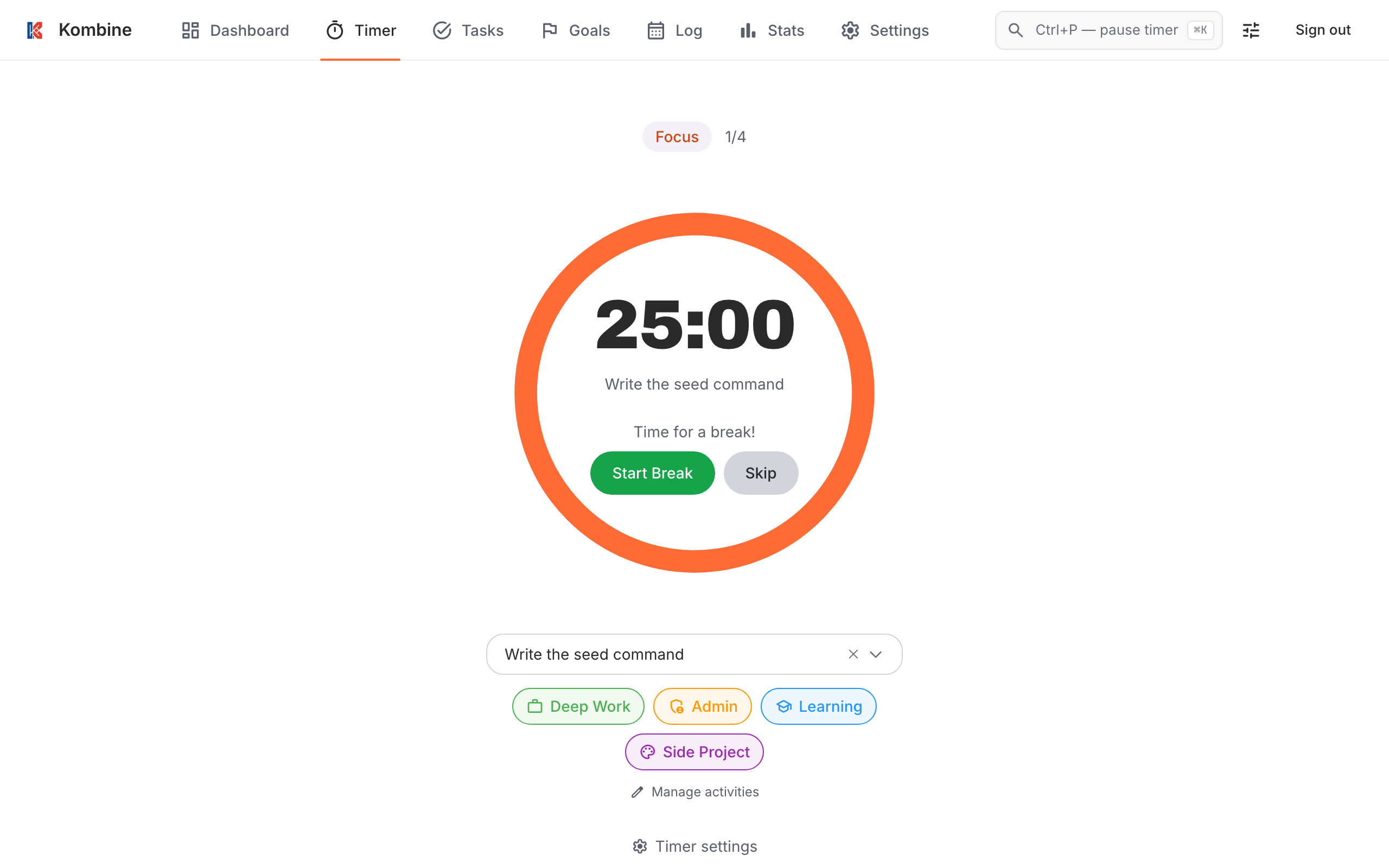
Section titled “Breaks”When a work session ends, Kombine offers a break: Take Break or Skip Break & Continue. In Flow mode you’ll see Time for a Break! with the suggested length.
Every 4th Pomodoro gets a long break (you can change the count).
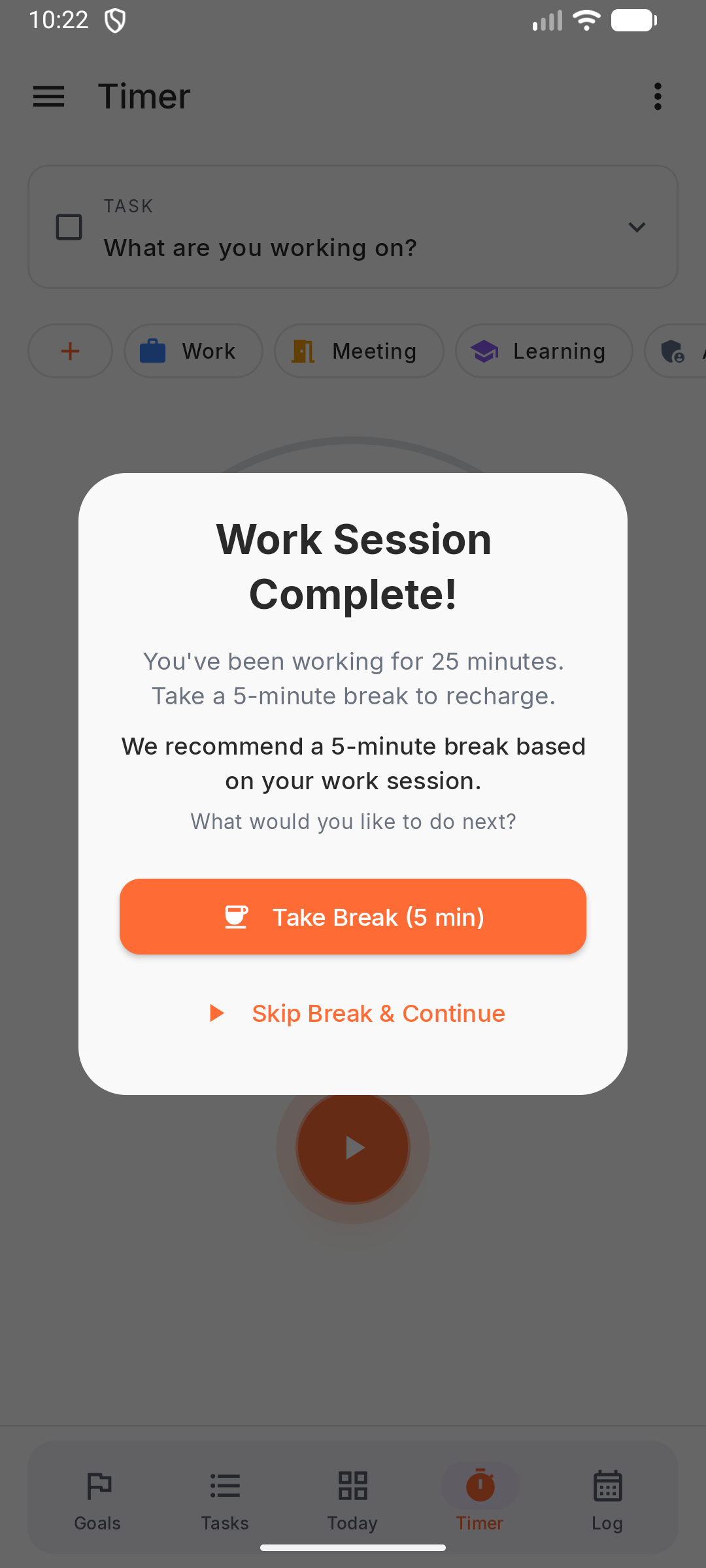
When a work session ends, Kombine offers a break: Take Break or Skip Break & Continue. In Flow mode you’ll see Time for a Break! with the suggested length.
Every 4th Pomodoro gets a long break (you can change the count).
When a work session ends you’ll see Time for a break! with Start Break and Skip. During a break, Skip Break ends it early.
Every 4th Pomodoro gets a long break (you can change the count).
Tag a session afterwards
Section titled “Tag a session afterwards”If a session ends without a task or activity, Kombine can ask what you worked on. Turn this on or off with Session tagging prompt in the timer settings.
You can also edit any session later in the Log.
You can also edit any session later in the Log.
The Session complete sheet lets you pick a task, an activity and a note, then Save. It closes by itself after a few seconds (change the delay in Settings). The session is still saved, just without a task, so tag it while the sheet is open or edit it later in Log.
Timer settings
Section titled “Timer settings”- Work and break length: tap the time on the idle timer and drag the two rings. Work is 5–45 minutes, breaks 1–30 minutes.
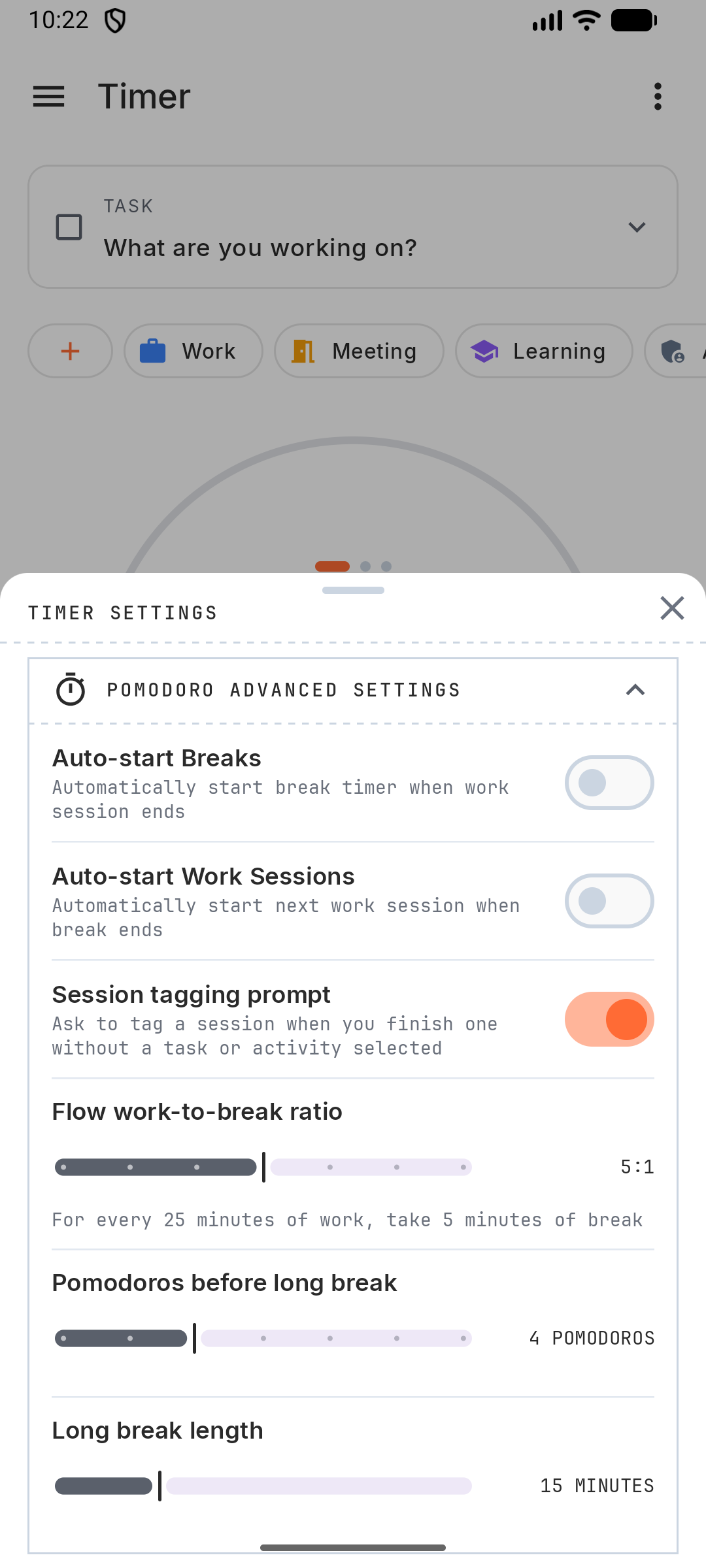
- More settings: tap ⚙ under the ring for Auto-start Breaks, Auto-start Work Sessions, Session tagging prompt, Flow work-to-break ratio (2–8), Pomodoros before long break (2–8) and Long break length (10–30 minutes).
- Daily target: tap Set daily goal under the ring and choose how many sessions per day you aim for (1–12). Dots under the ring show your progress, and meeting the target builds your streak.
Sounds, background noise and vibration live in Settings.
- Work and break length: tap the time on the idle timer and drag the two rings. Work is 5–45 minutes, breaks 1–30 minutes.
- More settings: tap ⚙ under the ring for Auto-start Breaks, Auto-start Work Sessions, Session tagging prompt, Flow work-to-break ratio (2–8), Pomodoros before long break (2–8) and Long break length (10–30 minutes).
- Daily target: tap Set daily goal under the ring and choose how many sessions per day you aim for (1–12). Dots under the ring show your progress, and meeting the target builds your streak.
Sounds, background noise and vibration live in Settings.
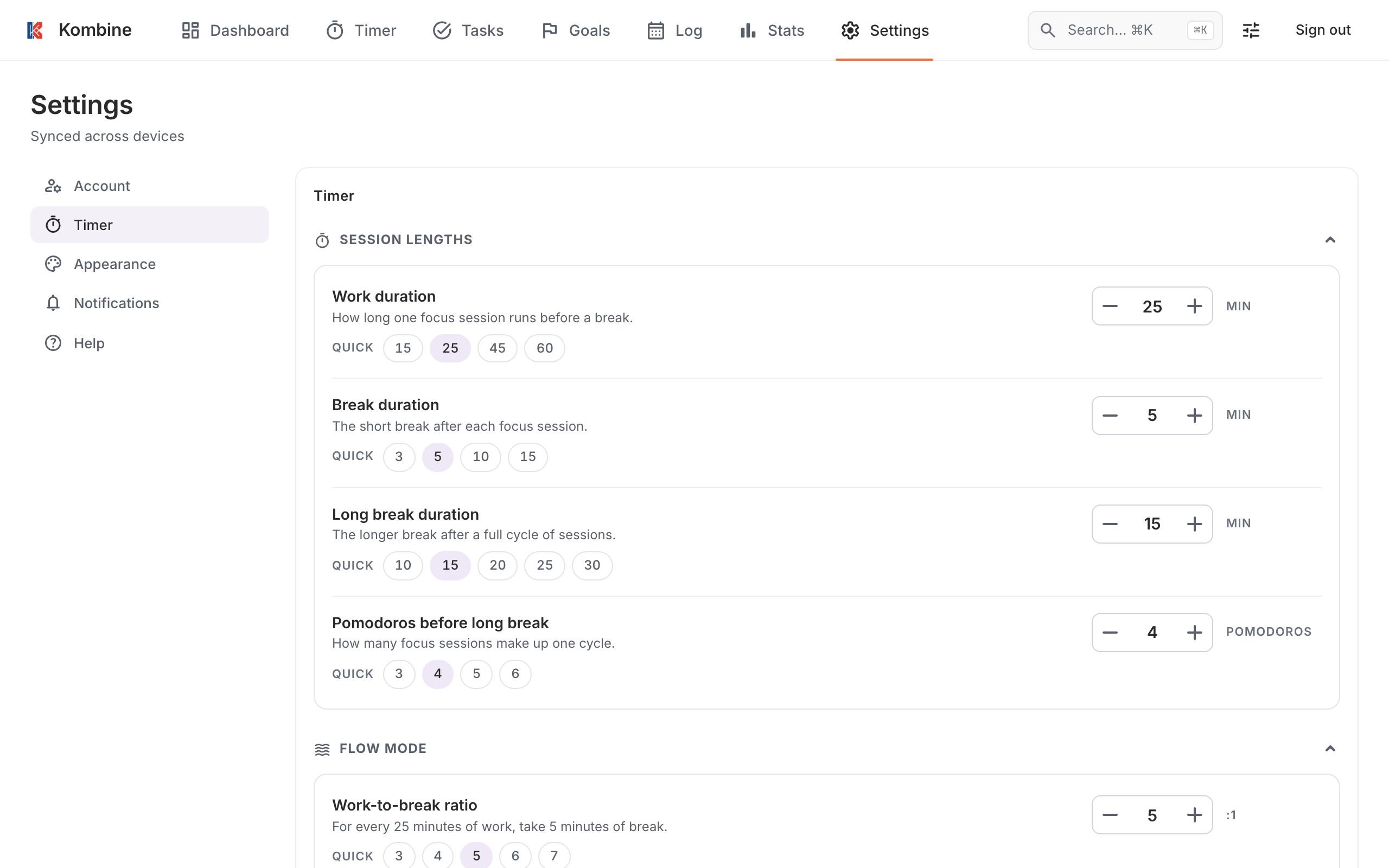
Click Timer settings under the timer, or go to Settings › Timer:
- Session lengths: Work duration, Break duration, Long break duration, Pomodoros before long break.
- Flow mode: Work-to-break ratio (2–8:1).
- Automation: Auto-start breaks, Session tagging prompt.
Click Save Settings. Timer settings sync to your other devices.
The web timer plays no sounds and shows no notifications.
On your other screens
Section titled “On your other screens”- A notification shows the running timer with Pause, Resume, Stop, Take Break and Skip Break. Turn it off with Ongoing timer notification in Settings › Notifications.
- Add the Start timer tile to Quick Settings to start a session from the notification shade.
- Long-press the app icon for Start pomodoro.
- If the app was closed during a session, Kombine offers to Continue or Discard it when you come back.
- The timer runs on your Wear OS watch too.
- A Live Activity shows the timer on the Lock Screen and in the Dynamic Island, with Pause, Resume, Skip and Stop. Turn it off with Ongoing timer notification in Settings › Notifications.
- Long-press the app icon for Start pomodoro and Start flow.
- Ask Siri (“Start a pomodoro in Kombine”) or use the Shortcuts app: Start Pomodoro, Start Flow, Start Timer.
- If the app was closed during a session, Kombine offers to Continue or Discard it when you come back.
- The timer runs on your Apple Watch too.
The timer is shared across your devices. Start it on your phone and the web app shows it running, with a Syncing from another device badge; pause it on the web and the phone pauses too.