
Account
An account is optional on Android and iOS, and needed for the web app. It syncs your data between devices and backs it up. See Sync & offline.
Sign up and sign in
Section titled “Sign up and sign in”Go to Settings › Account.
- Sign up: Create new account, then fill in Display Name, Email and Password (at least 8 characters), and tap Create Account.
- Sign in: enter your email and password and tap Sign In.
- Without a password: tap Email me a sign-in link. Open the link on your phone, or type the 6-digit code from the email.
- Forgot password? sends you a reset link.
Go to Settings › Account.
- Sign up: Create new account, then fill in Display Name, Email and Password (at least 8 characters), and tap Create Account.
- Sign in: enter your email and password and tap Sign In.
- Without a password: tap Email me a sign-in link. Open the link on your phone, or type the 6-digit code from the email.
- Forgot password? sends you a reset link.
- Sign up: at app.kombine.dev click Sign up, fill in Display name, Email and Password (8–72 characters), and click Create account. Then confirm your email with the link we send you.
- Sign in: email and password, then Sign in.
- Without a password: click Email me a sign-in link, then click the link or type the 6-digit code. The code is valid for 15 minutes.
- Forgot password? sends a reset link, valid for 1 hour.
Manage your account
Section titled “Manage your account”In Settings › Account:
- Change Display Name and Change Password.
- Sign Out, or Sign Out All Devices.
- Clear Local Data removes Kombine data from this device. Your account data stays.
- Personal Access Tokens: see and revoke tokens. You create them in the web app.
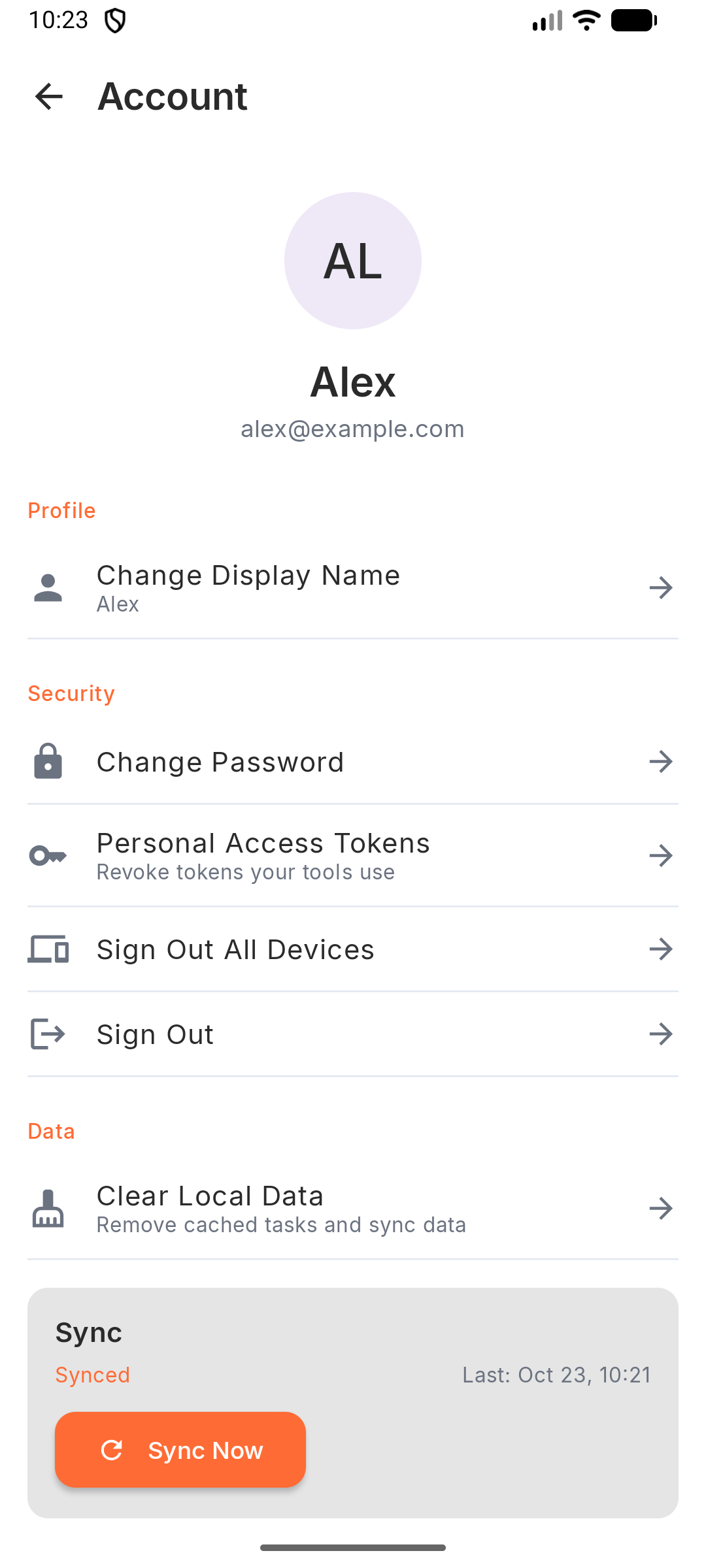
In Settings › Account:
- Change Display Name and Change Password.
- Sign Out, or Sign Out All Devices.
- Clear Local Data removes Kombine data from this device. Your account data stays.
- Personal Access Tokens: see and revoke tokens. You create them in the web app.
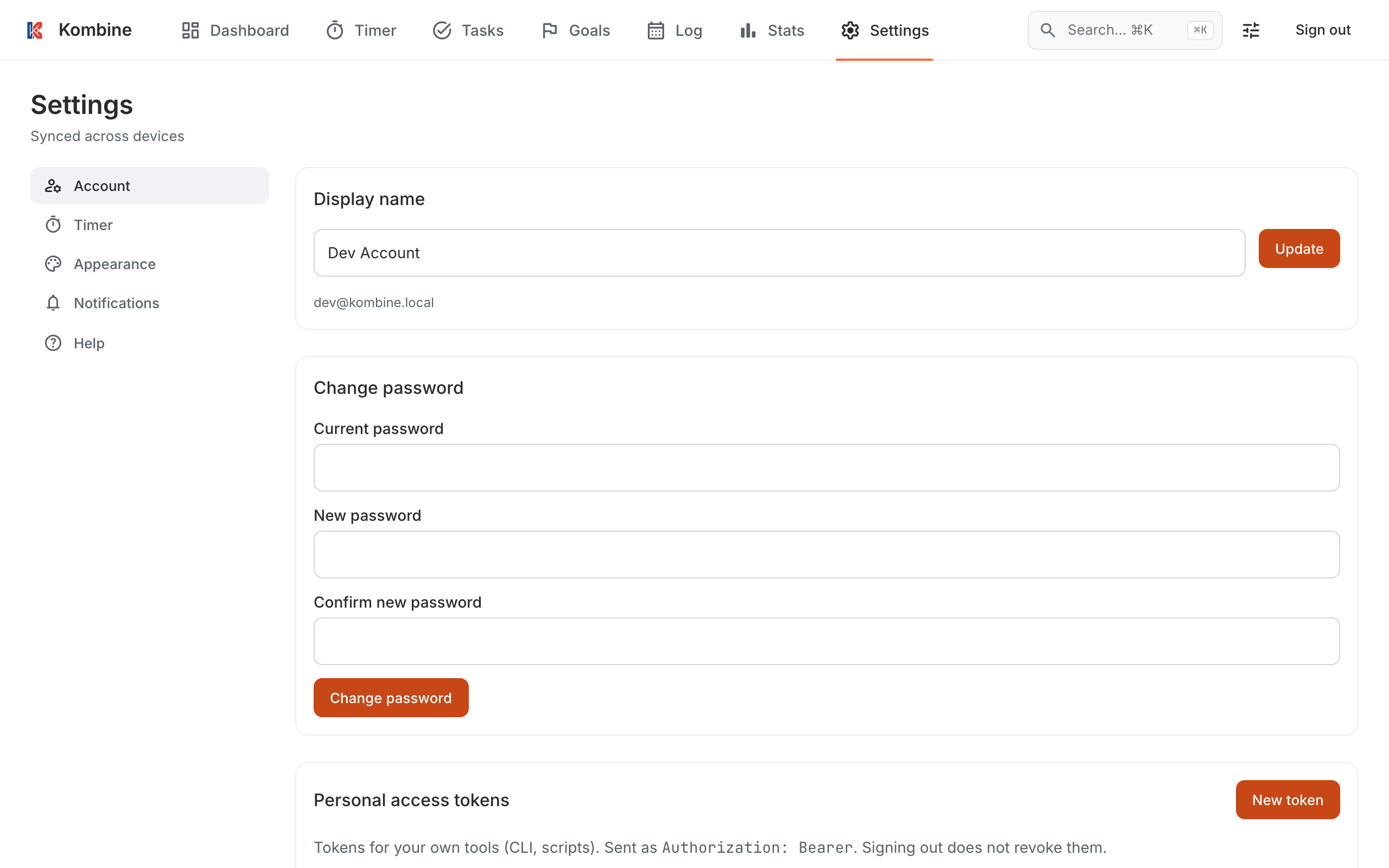
In Settings › Account:
- Change your Display name (Update) and password (Change password).
- Logout all devices signs you out everywhere, including here.
- Personal access tokens let your own scripts and tools use your Kombine data. Click New token, choose what it can read or change and when it expires, and copy it right away; it’s shown only once.
Sign out is in the top bar or at the bottom of the sidebar.
Delete your account
Section titled “Delete your account”Deleting your account removes your data from Kombine’s servers. It can’t be undone.
Settings › Account › Delete Account, confirm, then type your email.
Settings › Account › Delete Account, confirm, then type your email.
Settings › Account › Delete account, type your email, then Delete my account.