
Today
Kombine opens on Today: what you’ve done so far, what’s running, and what’s next.
From top to bottom:
- Today so far: focus time, sessions, tasks done and your streak.
- Running session: shown while the timer runs. Tap it to open the timer.
- Period ending: a nudge on the last day of a goal period. You can dismiss it.
- Today’s toad: the one task that must happen today. Start session or Change. See Goals.
- Up next: tasks due today and overdue. All tasks opens the full list.
- Log something: add a quick note to today’s Log.
- Today’s log: what you’ve logged today.
- See full statistics.
Hide any card you don’t use: ☰ › Show on Today.
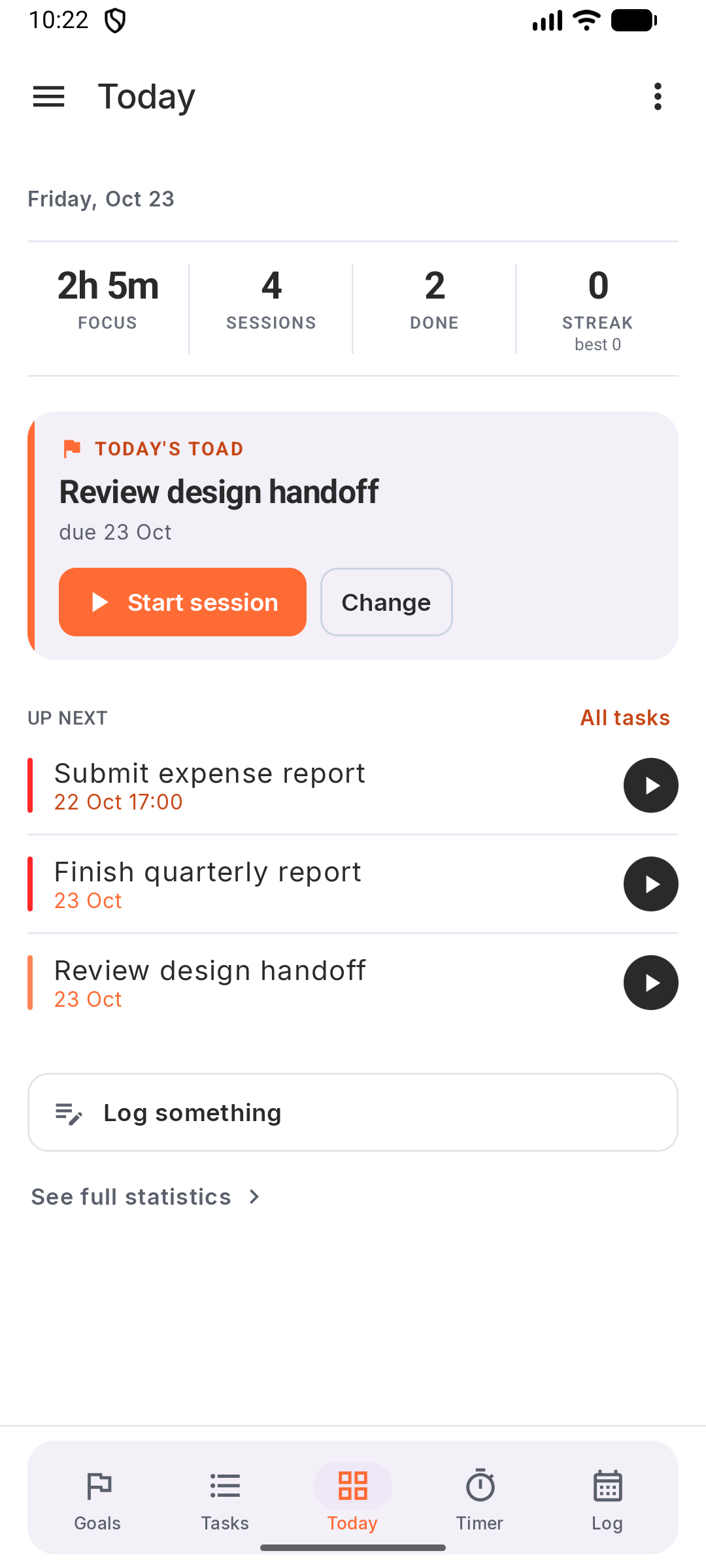
From top to bottom:
- Today so far: focus time, sessions, tasks done and your streak.
- Running session: shown while the timer runs. Tap it to open the timer.
- Period ending: a nudge on the last day of a goal period. You can dismiss it.
- Today’s toad: the one task that must happen today. Start session or Change. See Goals.
- Up next: tasks due today and overdue. All tasks opens the full list.
- Log something: add a quick note to today’s Log.
- Today’s log: what you’ve logged today.
- See full statistics.
Hide any card you don’t use: ☰ › Show on Today.
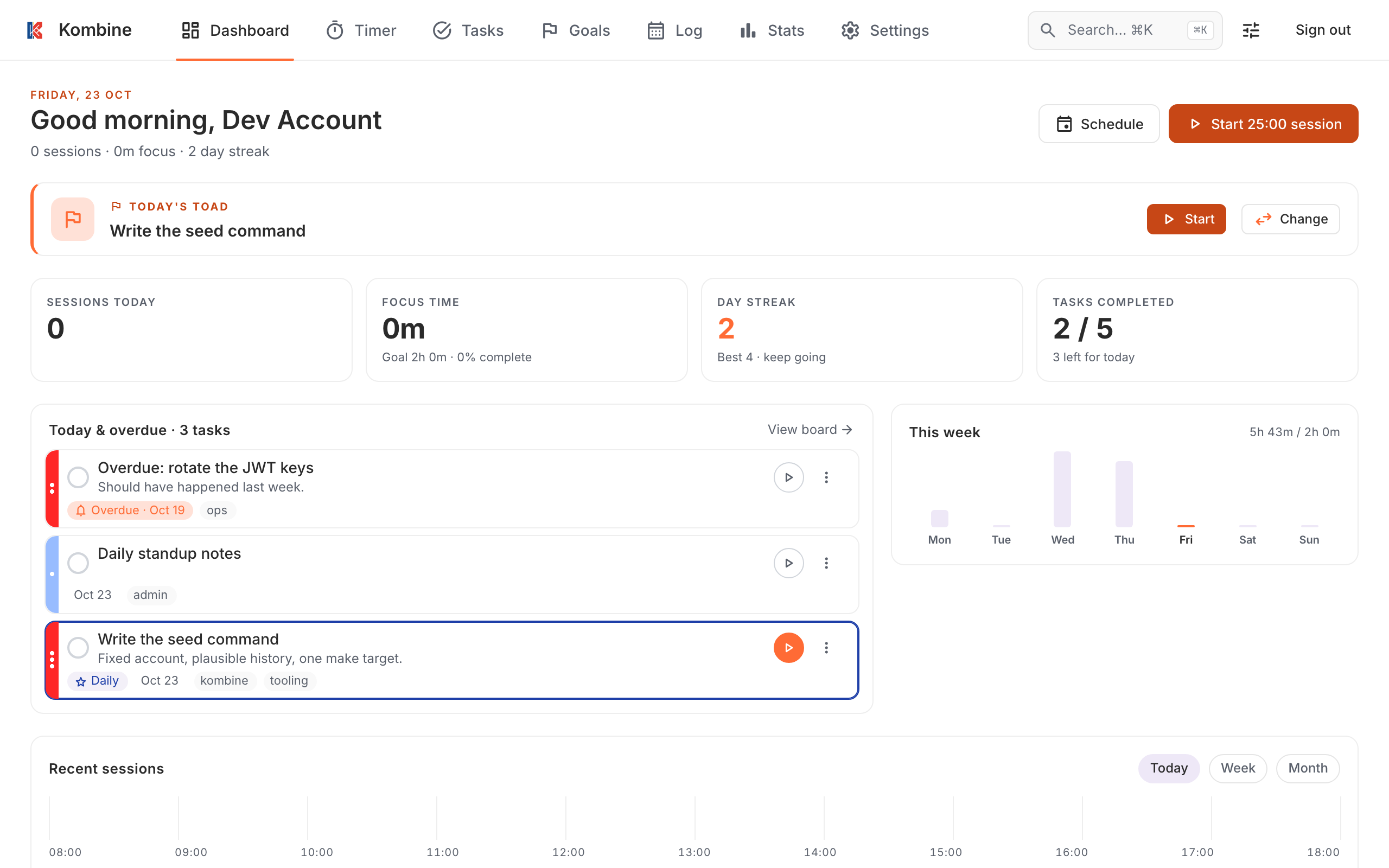
The Dashboard shows, from top to bottom:
- A greeting with today’s sessions, focus time and streak, and a button to start a session.
- Last day: shown on the last day of a goal period, with Wrap up in Goals.
- Today’s Toad: Pick today’s toad, or Start / Change once it’s set. See Goals.
- The running timer, when there is one.
- Sessions today, Focus time, Day streak and Tasks completed.
- Today & overdue: tasks due today or late.
- This week: focus per day, and Today by activity.
- Recent sessions, as a day timeline or by week or month.
On your home screen
Section titled “On your home screen”Check today’s tasks without opening the app.
Long-press the home screen › Widgets › Kombine:
- Today: tasks due today. Tap it to open your tasks. The wide version also has a checkbox on each task to complete it, and + to add one.
- Add task: one tap to a new task.
- Log: today’s log entries, with + to add one. See Log.
Long-press the app icon for Add task, Start pomodoro, Log entry and New decision.
Long-press the Home Screen › Edit › Add Widget › Kombine:
- Kombine Today: tasks due today, small size.
- Kombine Today (Wide): medium or large, with + to add a task.
Tap a widget to open your tasks.
Long-press the app icon for Add task, Start pomodoro, Start flow and New decision.
There are no widgets on the web.