Statistics
Statistics show how your focus time, tasks and goals add up over time.
Open Statistics
Section titled “Open Statistics”Click Stats in the navigation.
Pick a period
Section titled “Pick a period”Choose Week, Month, Quarter or Year, then use ‹ › to move back and forth. Weeks run Monday to Sunday.
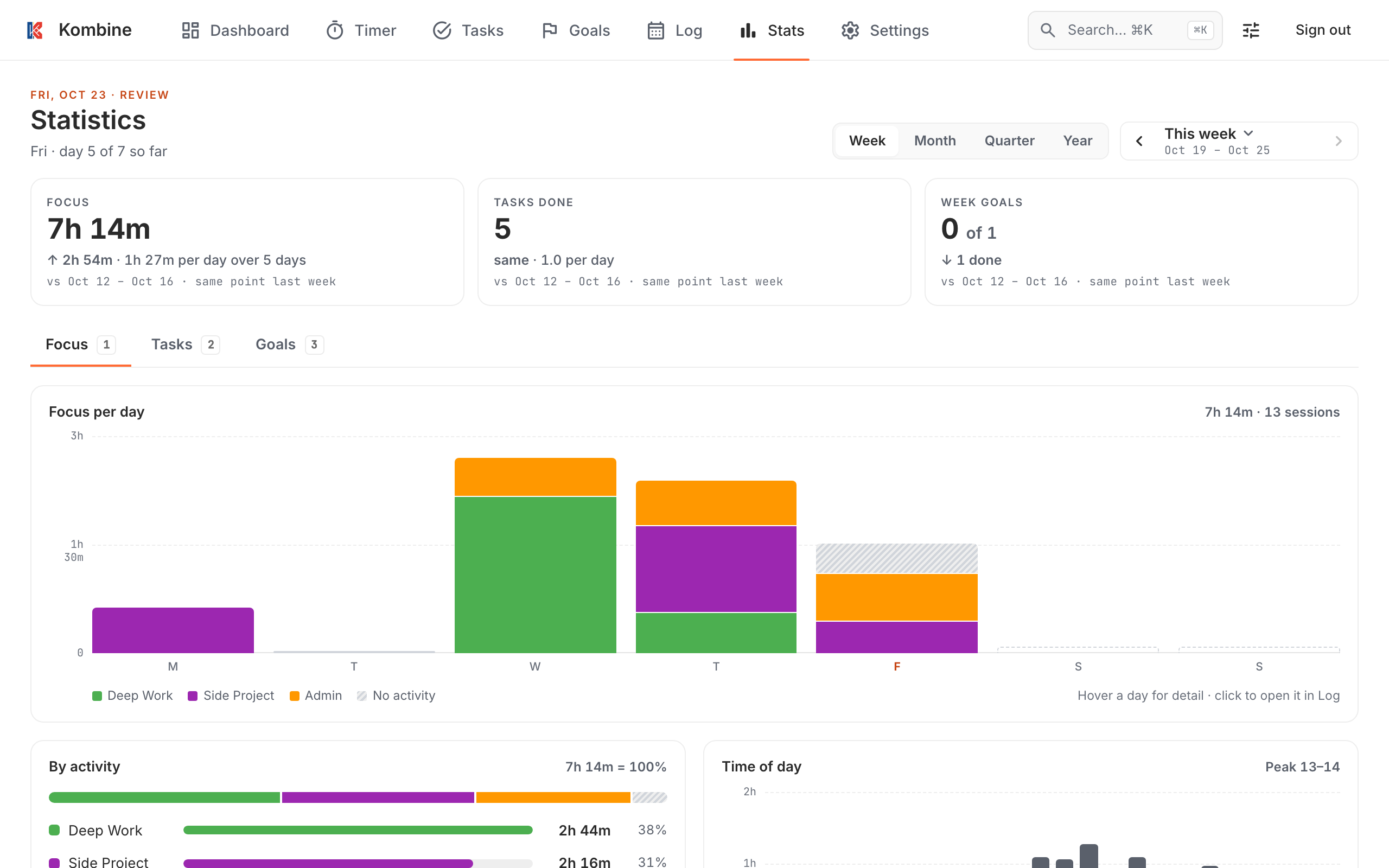
The header shows Focus, Tasks done and Goals done, compared with the same point in the previous period. On day 3 of this week, you’re compared with the first 3 days of last week, not the whole week.
The header shows Focus, Tasks done and Goals done, compared with the same point in the previous period. On day 3 of this week, you’re compared with the first 3 days of last week, not the whole week.
The header shows Focus, Tasks done and goals for the period, compared with the previous period. Keyboard: ← → to move, W M Q Y to switch period.
What you’ll see
Section titled “What you’ll see”Focus
- Focus per day, week or month, colored by activity. Tap or click a day to open it in the Log.
- By activity: where your time went.
- Time of day: when you focus most.
- Day of week: which days you focus most.
- Streak: days in a row you hit your daily target.
- Year at a glance: one square per day for the whole year.
Focus time counts every focus session, whatever the mode. Breaks don’t count.
Tasks
- Tasks completed per day, week or month, and created vs completed.
- Completed by priority, energy or tag.
- Top tasks by time spent, overdue tasks, and how long tasks take from creation to done.
A repeating task done on three days counts three times.
Goals
- Goals written, done and carried over, per horizon.
- Time spent on tasks linked to goals.
Your daily target (sessions per day) is set in the Timer. A day counts toward the streak once you reach it.
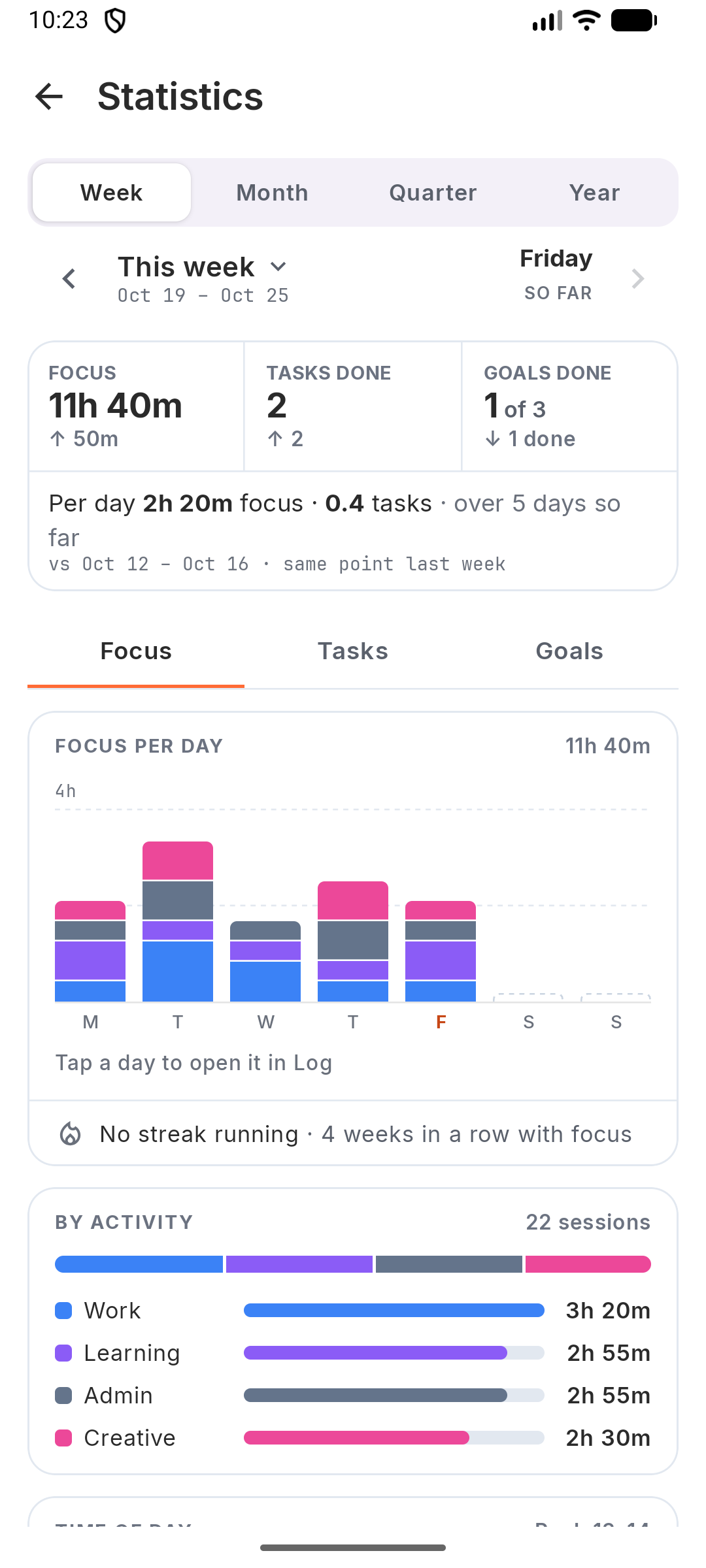
Your daily target (sessions per day) is set in the Timer. A day counts toward the streak once you reach it.
Switch between the Focus, Tasks and Goals tabs (keys 1 2 3).
The daily target used for the streak is set in the mobile app.