
Decisions
A good outcome doesn’t prove a good decision, and a bad one doesn’t prove a bad decision. Luck gets in the way. The Decision log helps you tell them apart: you write down your reasons right after you decide, before you know how it turns out, and come back later to compare.
Where this comes from
Section titled “Where this comes from”The Decision log is Ryder Carroll’s idea, from the Bullet Journal: watch his video on it. It builds on what Annie Duke calls resulting: judging a decision only by how it turned out. Writing your reasons down first is the cure. Later you can’t quietly rewrite what you were thinking.
Two phases
Section titled “Two phases”- Before, right after you decide: what you decided and why. The reasons, the evidence, the other options, what success would look like, and whether your older self would regret it.
- After, once results are in: what happened, which assumptions held, what you didn’t consider, what you’d change about how you decided, what you know now, and whether you’d make the same call again (yes / no / unsure).
Only the title (“What did you decide?”) is required. Every other question is optional, so answer the ones that help and skip the rest. A decision is open until you look back, then it’s reviewed.
Write down a decision
Section titled “Write down a decision”In the Log, tap the New decision icon next to Session and Log entry. Or long-press the app icon › New decision. You can also tap Decision in the Decision log.
Type what you decided, open any question you want to answer, and save. The decision date defaults to now and you can change it, so writing down yesterday’s decision today is fine.
In the Log, tap the New decision icon next to Session and Log entry. Or long-press the app icon › New decision. You can also tap Decision in the Decision log.
Type what you decided, open any question you want to answer, and save. The decision date defaults to now and you can change it, so writing down yesterday’s decision today is fine.
In the Log, click the New decision icon button after Add entry, or New decision in the Decision log. Type what you decided, fill in any questions you want, and click Save decision (Ctrl+↵). Esc cancels.
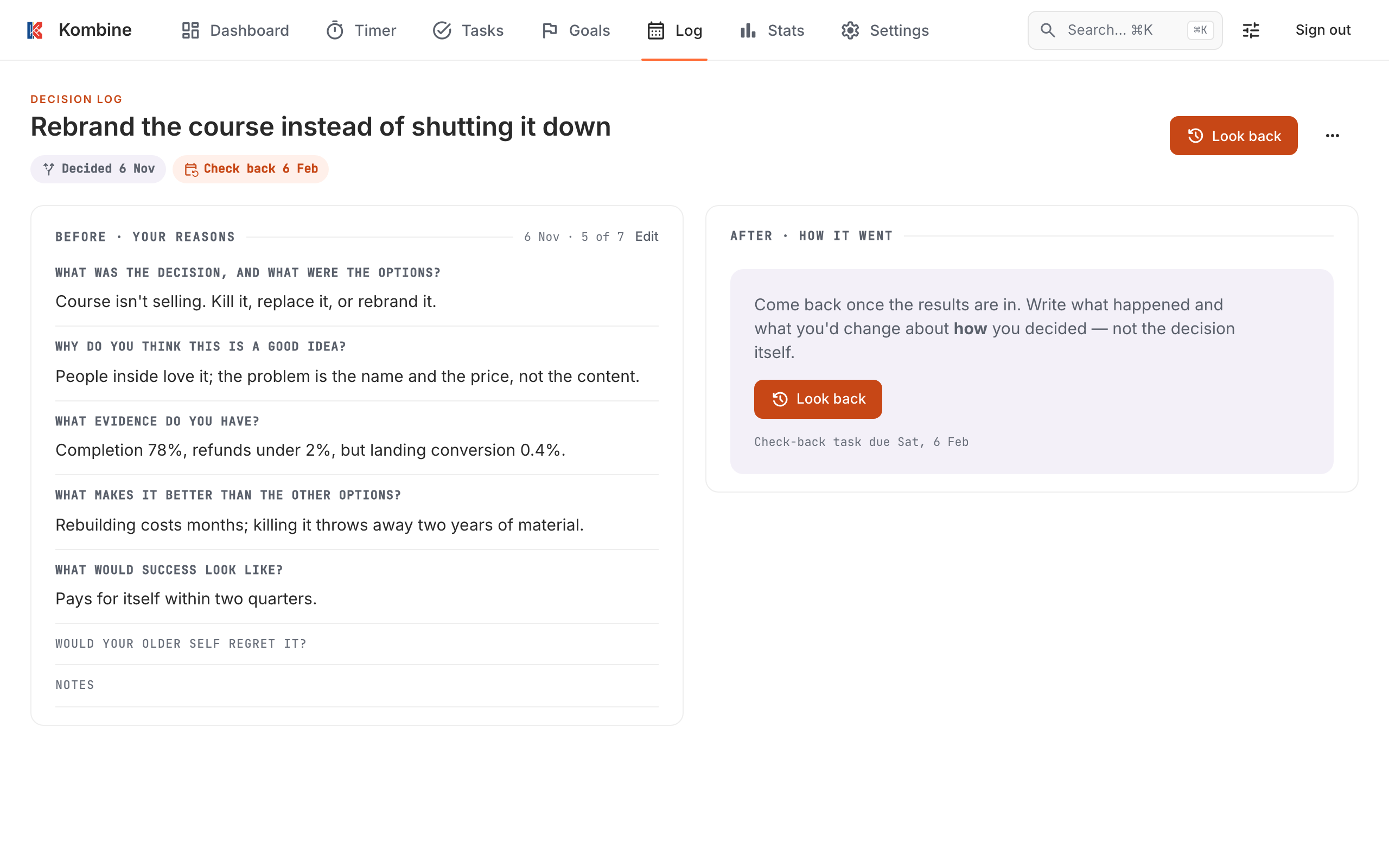
Check back later
Section titled “Check back later”When you write a decision you can set a check-back: 1 month, 3 months, 6 months or a date you pick. Kombine creates an ordinary task, Look back: your title, due that day with a reminder at your default reminder time.
- The check-back date is the task’s due date. Move the task and the check-back moves with it.
- The task links back: open it and use Open decision to get to the decision.
- Looking back completes the task. Completing the task by hand leaves the decision open.
- Deleting an open decision also deletes its check-back task, unless the task is already done. Deleting the task leaves the decision with no check-back.
No check-back is fine too. The decision waits in the Decision log until you look back.
Look back
Section titled “Look back”Come back once the results are in. Write what happened and what you’d change about how you decided, not the decision itself.
Open the decision and tap Look back. Answer any of the questions and save. Your reasons then fold into a short summary above the outcome.
Open the decision and tap Look back. Answer any of the questions and save. Your reasons then fold into a short summary above the outcome.
Open the decision and click Look back. The right column turns into the form, so your reasons stay in view while you write. Click Save review.
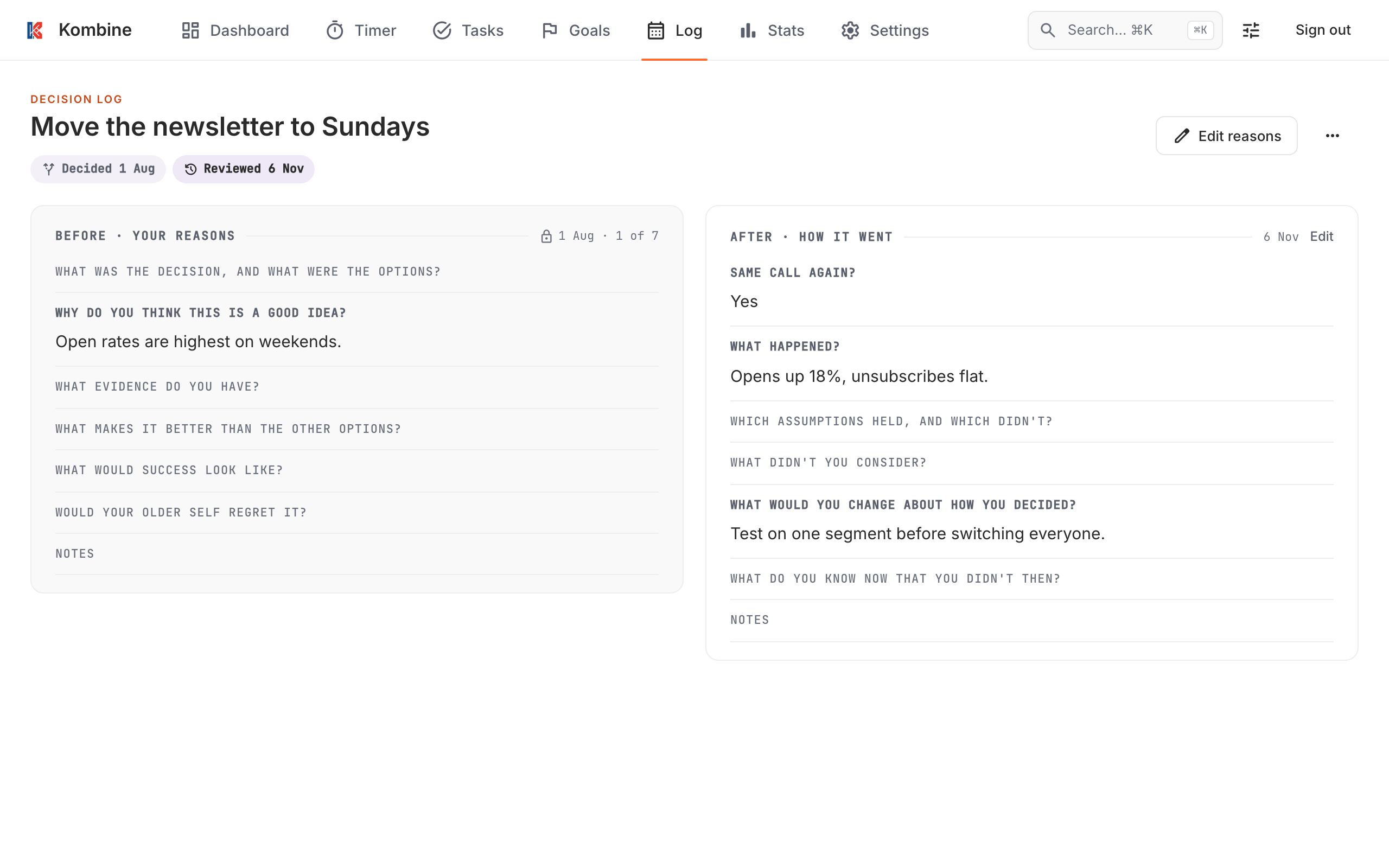
Reasons are locked after you look back
Section titled “Reasons are locked after you look back”Once a decision is reviewed, its reasons are read-only. That’s the point: the “before” should stay what you thought before.
If you really need to fix something (a typo, a missing detail), use Edit reasons (mobile: ⋮ menu; web: the button at the top). The decision then shows Reasons edited after the outcome, with the date, so you know the “before” isn’t untouched anymore.
The Decision log
Section titled “The Decision log”All your decisions in two groups:
- Open: soonest check-back first, decisions with no check-back last.
- Reviewed: most recently reviewed first, with your “same call again?” answer.
In the Log, open ⋮ › Decision log.
In the Log, open ⋮ › Decision log.
In the Log, click Decision log · N open under the month summary.
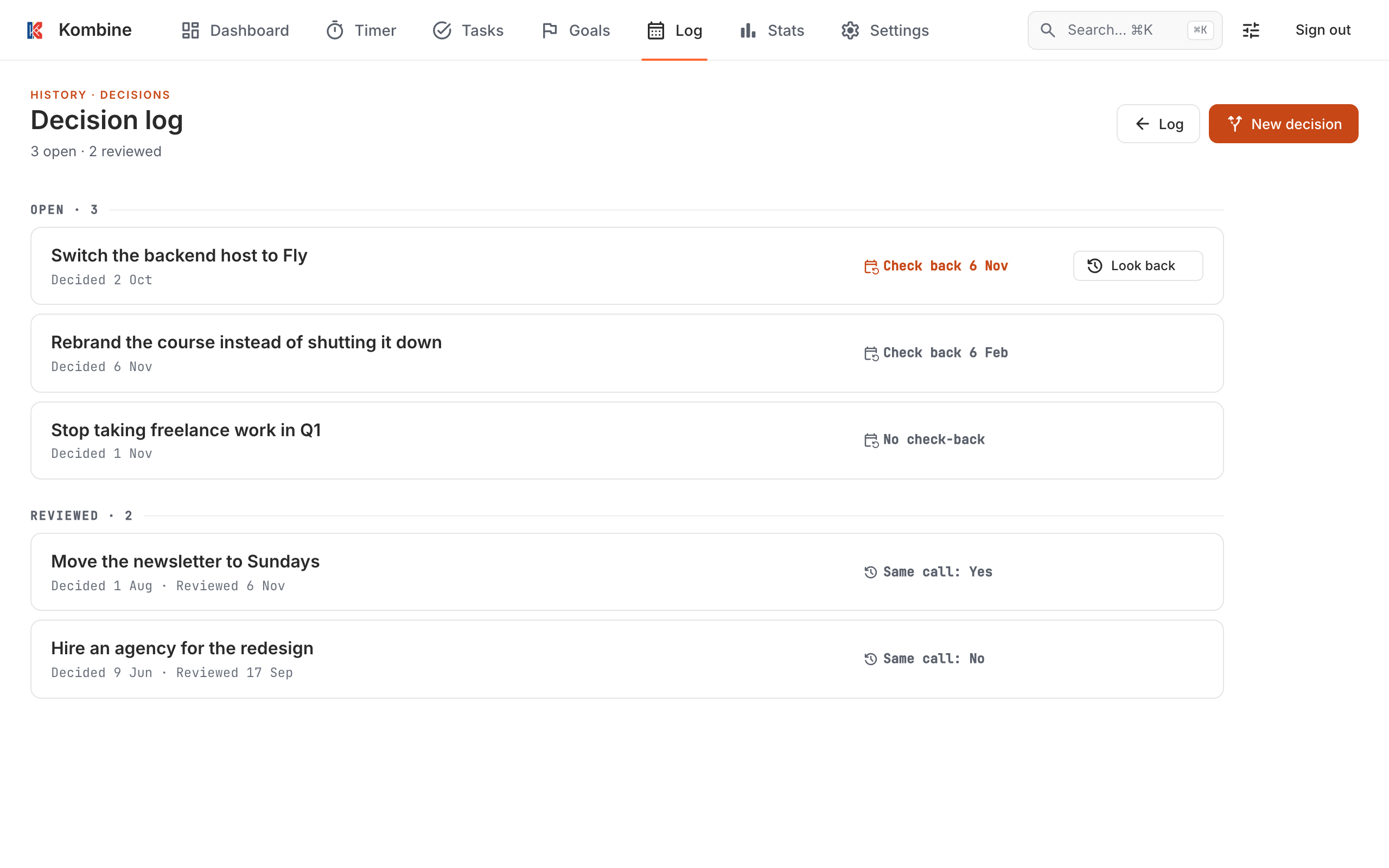
Decisions also show up on the Log timeline: Decided on the day you decided, Reviewed on the day you looked back.