
Daily planner and to-do list: plan a day you can finish
Most daily plans fail the same way: a to-do list with too many tasks, all marked important, that’s out of date by lunch. A useful daily planner makes the plan small, keeps it honest, and keeps it in front of you. In Kombine the to-do list and the day plan are the same list, so they can’t drift apart.
The routine below takes about five minutes each morning.
Pick one task that must happen
Section titled “Pick one task that must happen”Before anything else, decide which task would make the day a success even if nothing else gets done. Kombine calls it today’s toad, after the “eat that frog” idea: usually the task you’d rather avoid. Do it first and the rest of the day is easier.
When you open the app, Kombine can ask Which task must happen today?. The next day it asks whether you finished yesterday’s.
Look only at what’s due
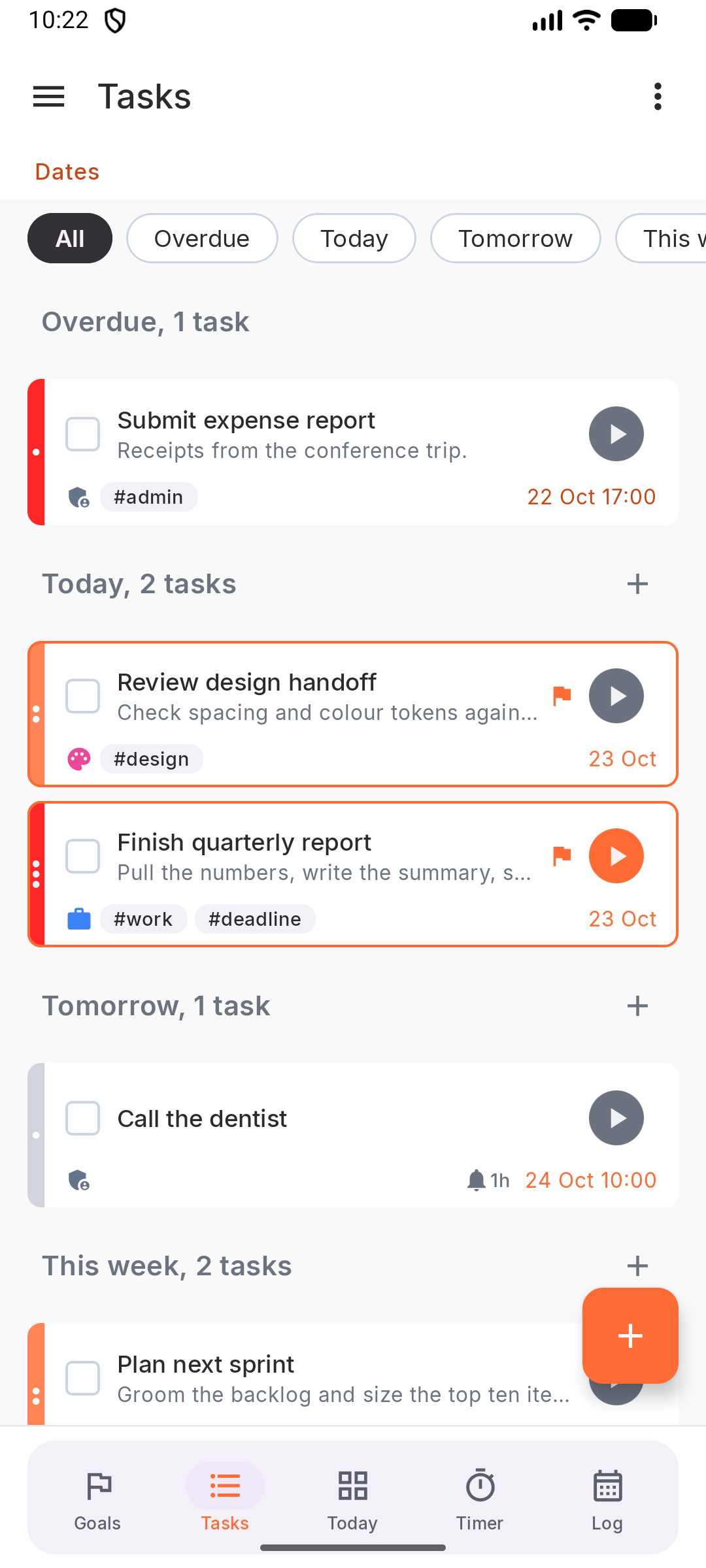
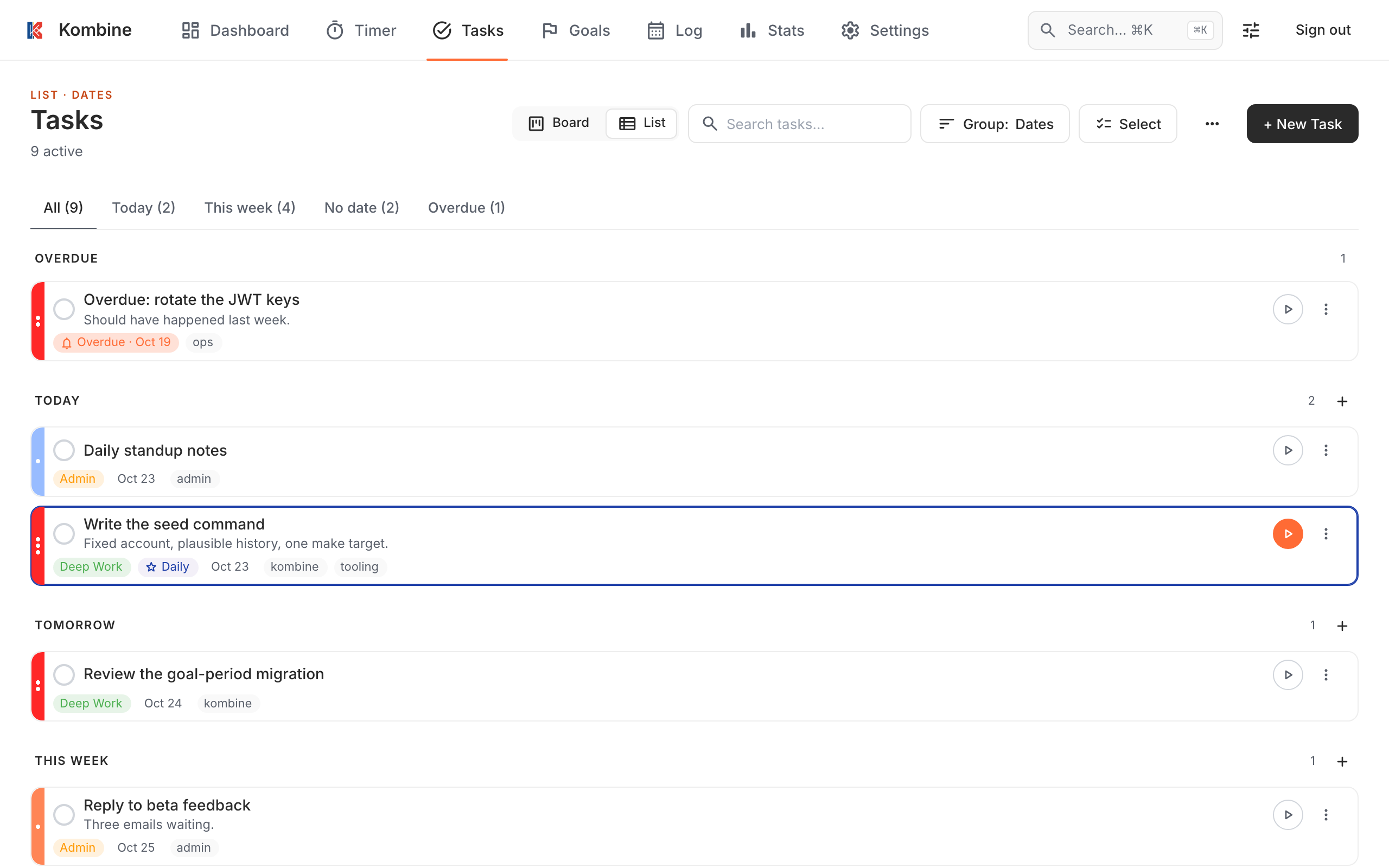
Section titled “Look only at what’s due”Group tasks by date and you get Overdue, Today, Tomorrow and This week. Today and Overdue are the plan. The rest can wait until it’s due.
Overdue tasks need a decision: a new date, archive, or done. A list that carries the same overdue tasks for weeks stops being a plan.
Order by energy, not just priority
Section titled “Order by energy, not just priority”Priority says how important a task is. The due date says how urgent. Neither says whether you can do it right now. Give tasks an Energy level (high, mid or low) and pick the hard ones when you’re fresh and the easy ones when you’re not. See Energy planner.
Keep the plan in sight
Section titled “Keep the plan in sight”- Today shows today’s toad, what’s due and what you’ve done so far.
- Home-screen widgets on Android and iPhone show today’s tasks without opening the app.
- Reminders and repeating tasks handle your routine: the things that come back every day or week.
Then do the work
Section titled “Then do the work”Start a focus timer on the toad. At the end of the day, the Log shows what actually happened: sessions, notes and finished tasks on one timeline.
More: Today, Tasks, and the full routine in Daily planning.
Try it
Section titled “Try it”Kombine is free, and the phone apps work without an account.