
Time tracker for focus: see where your time went
A time tracker usually means timesheets: start a timer, stop it, assign it to a project, fix it on Friday. Kombine tracks time as a side effect of focusing instead. Every focus session you finish is saved with its length, task and activity. You don’t have to do anything else.
Tag the kind of work
Section titled “Tag the kind of work”An activity says what kind of work a session was: Work, Meeting, Learning, Admin, Reading, Exercise, Creative, Planning, or your own. Pick one when you start the timer, or tag the session afterwards.
Time a meeting too. It isn’t deep work, and that’s the point: at the end of the week you’ll see how much of your work day was meetings.
See the day as it happened
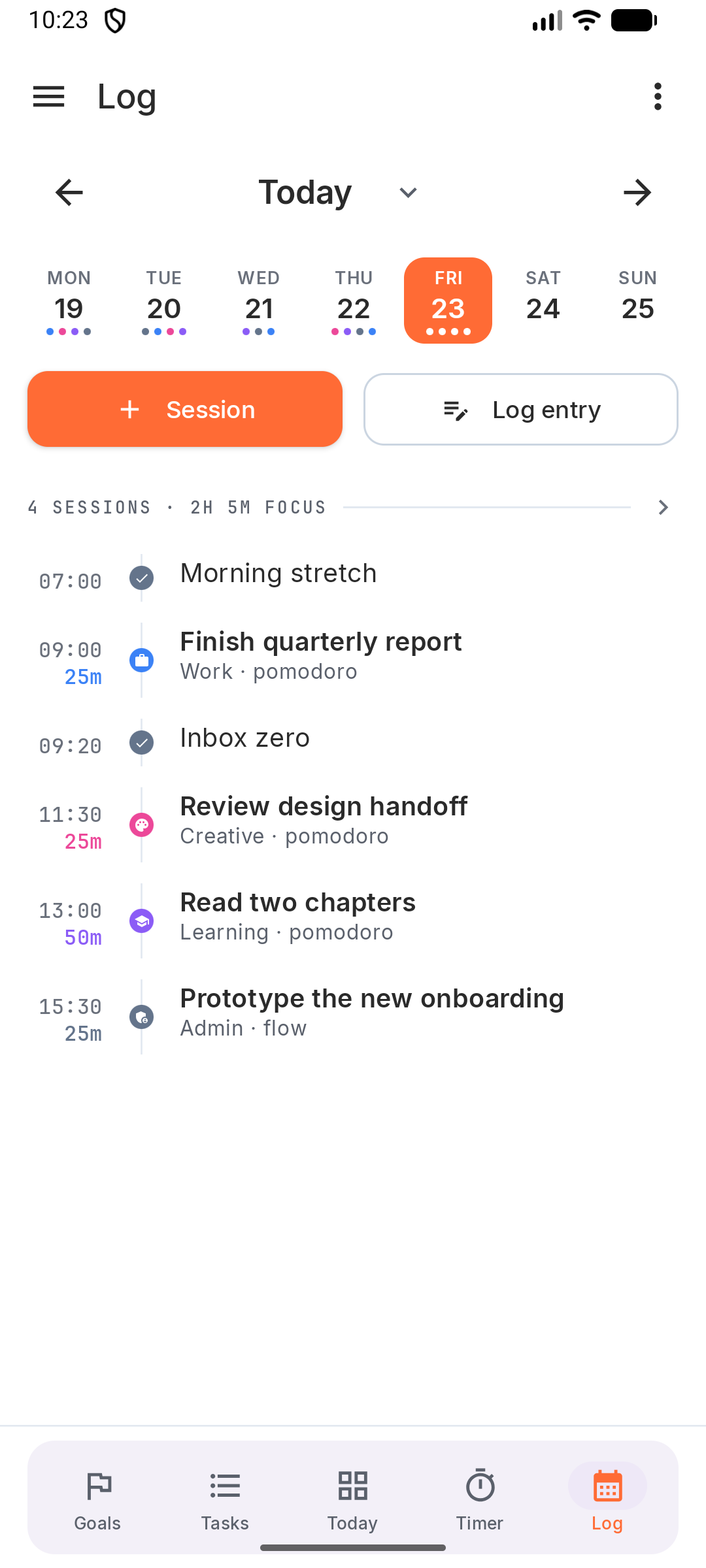
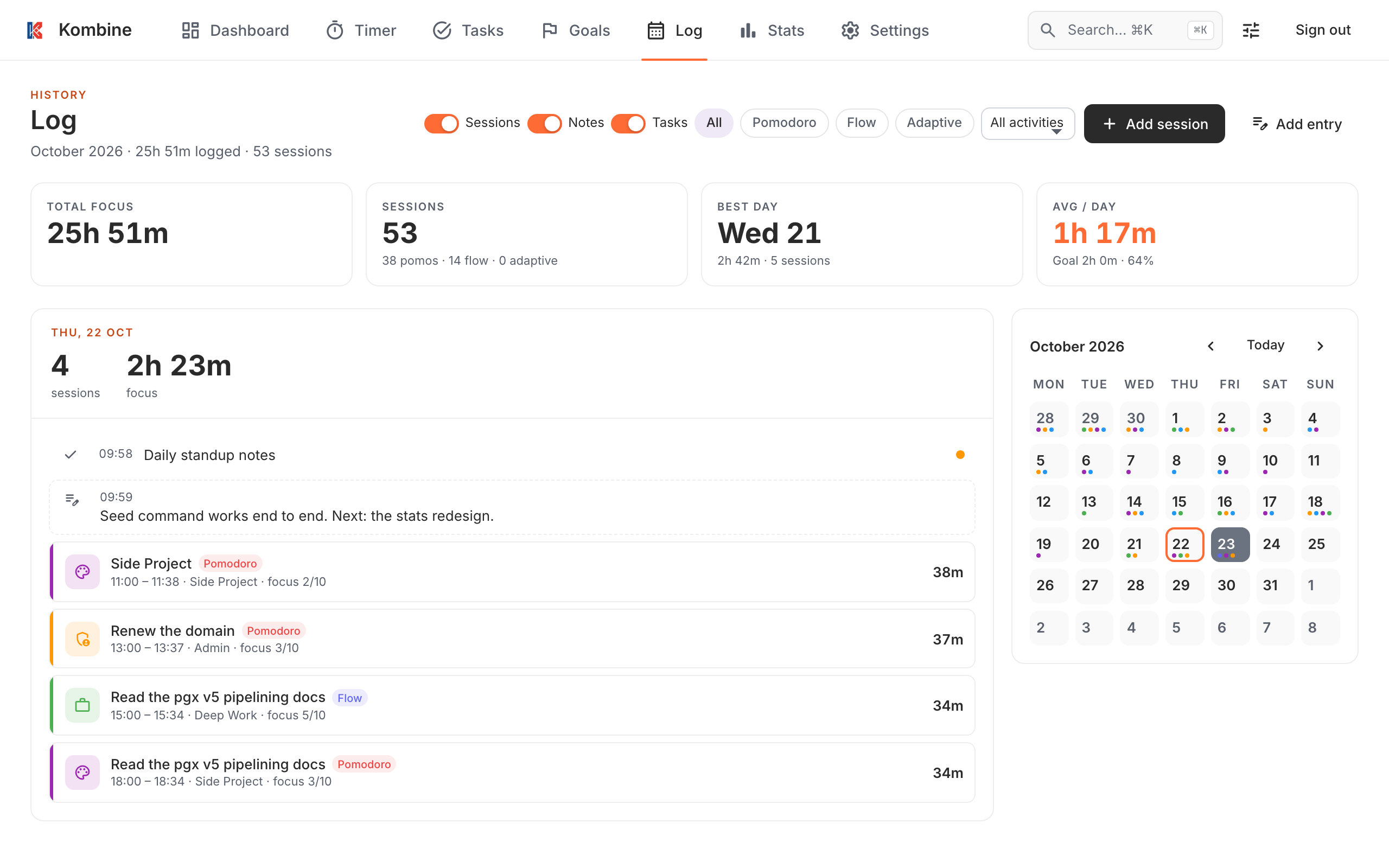
Section titled “See the day as it happened”The Log shows one day in time order: focus sessions, the tasks you finished, and short notes you write yourself, like “call with the bank” or “helped a colleague with X”. Notes cover what the timer can’t. Then “why did I only get two sessions done today?” has an answer.
See the patterns
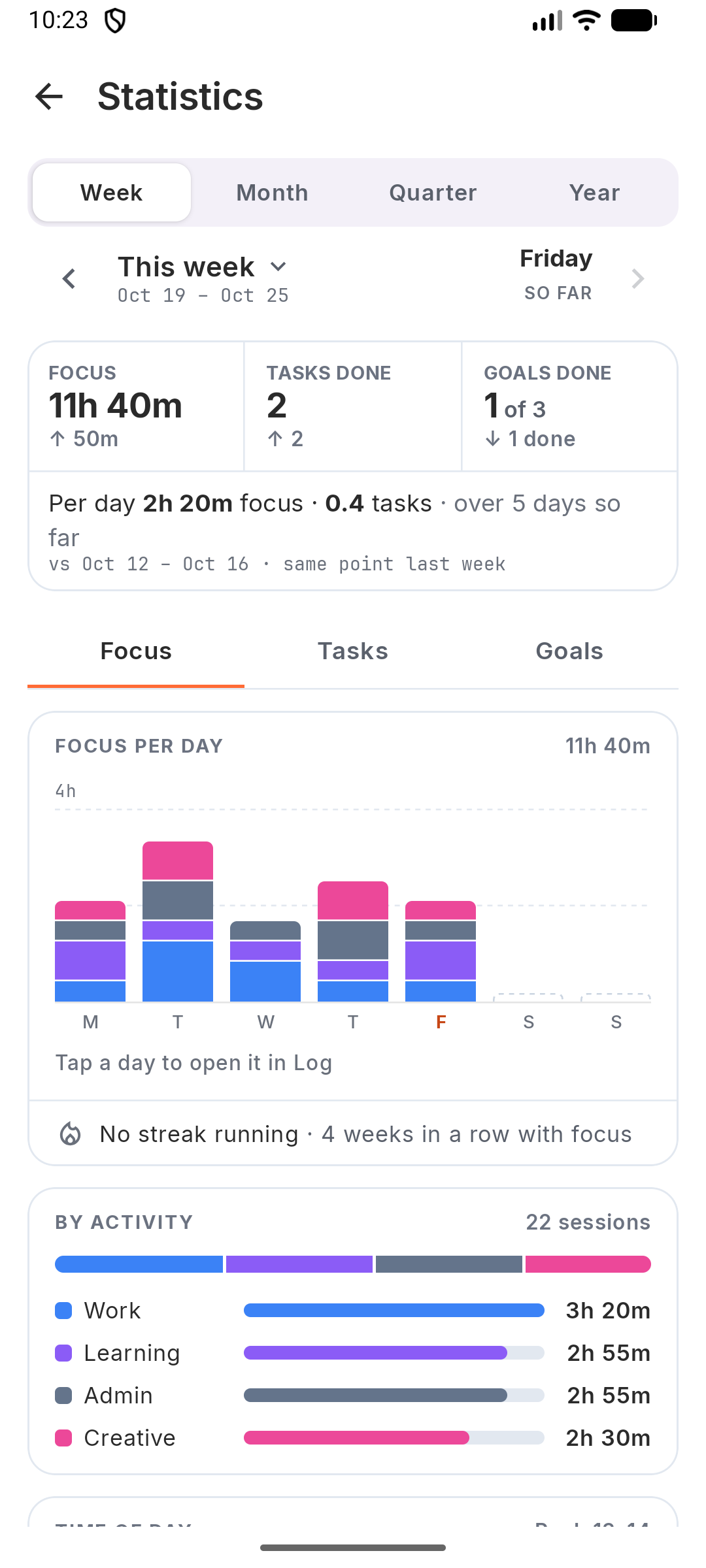
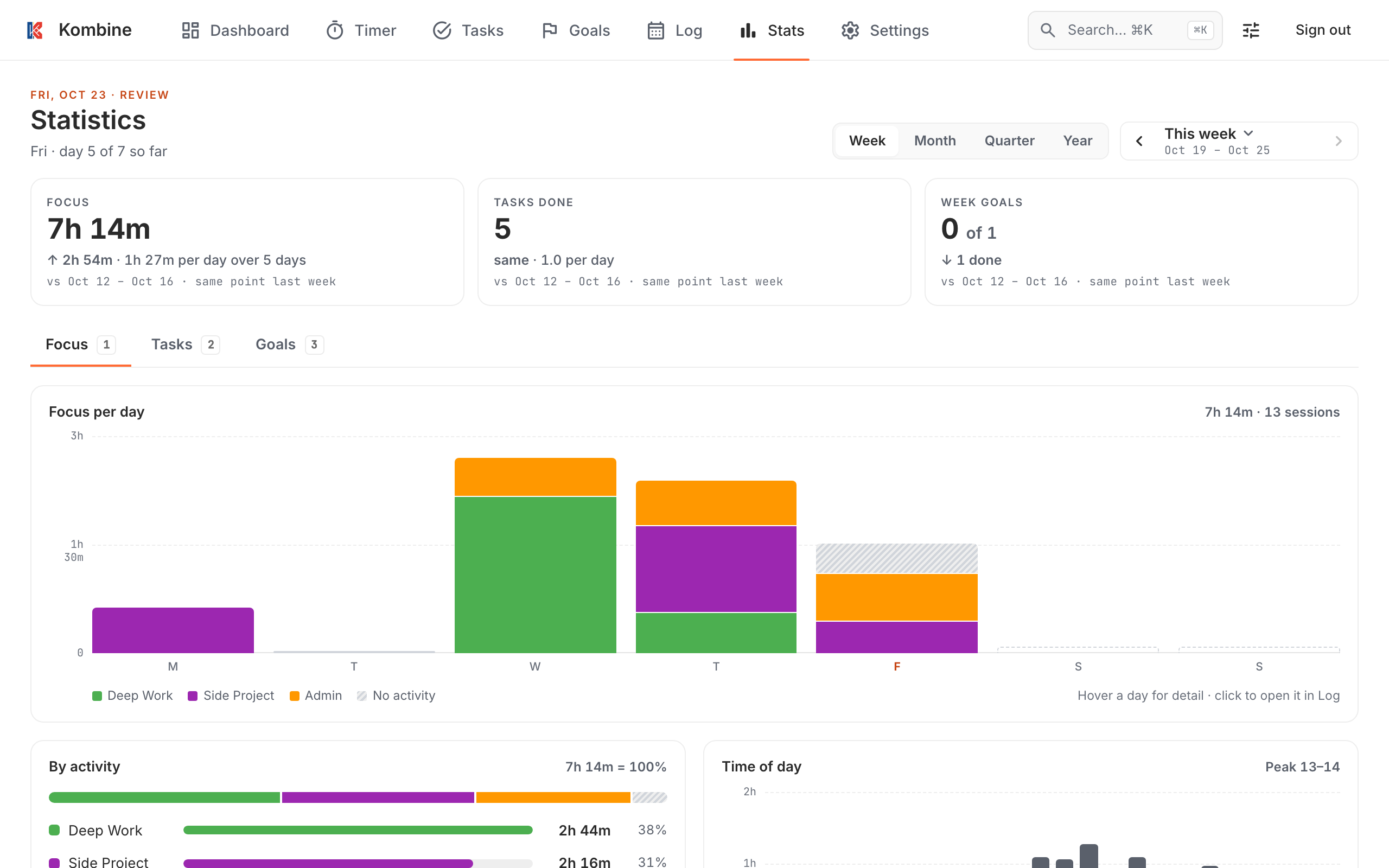
Section titled “See the patterns”Statistics add it up for a week, month, quarter or year:
- By activity: where your time went.
- Time of day and Day of week: when you focus best. Put the hard work there.
- Year at a glance: one square per day for the whole year.
- Streak: days in a row you hit your daily target.
- Tasks: completed per day, by priority, energy or tag, and top tasks by time spent.
Honest numbers
Section titled “Honest numbers”Accidental starts aren’t saved, breaks don’t count as focus, and you can edit a session later in the Log. With an account, sessions from your phone, watch and browser land in the same statistics.
Have time logged in another tool? Your own scripts can add sessions through the API.
Try it
Section titled “Try it”Kombine is free, and the phone apps work without an account.